
Upgrade Managed Kubernetes cluster on CloudFerro Cloud
When a newer Kubernetes version is available, you can upgrade an existing cluster from its details page. The launcher distinguishes a Minor upgrade from a Patch upgrade within the current minor version. The example below follows a minor upgrade.
What we are going to cover
Prerequisites
1. Hosting account on CloudFerro Cloud
To use CloudFerro Cloud Managed Kubernetes, you need your general CloudFerro Cloud account and access to https://managed-kubernetes.cloudferro.com/.
2. Backup (recommended)
Create a backup before upgrading. See Managed Kubernetes Backups on CloudFerro Cloud.
Upgrading to a newer version of Managed Kubernetes
Open the cluster’s three-dot menu and select View details. Scroll to Cluster upgrades. The Minor upgrade and Patch upgrade panels show the available update or state that the cluster is already on the latest version of that type.
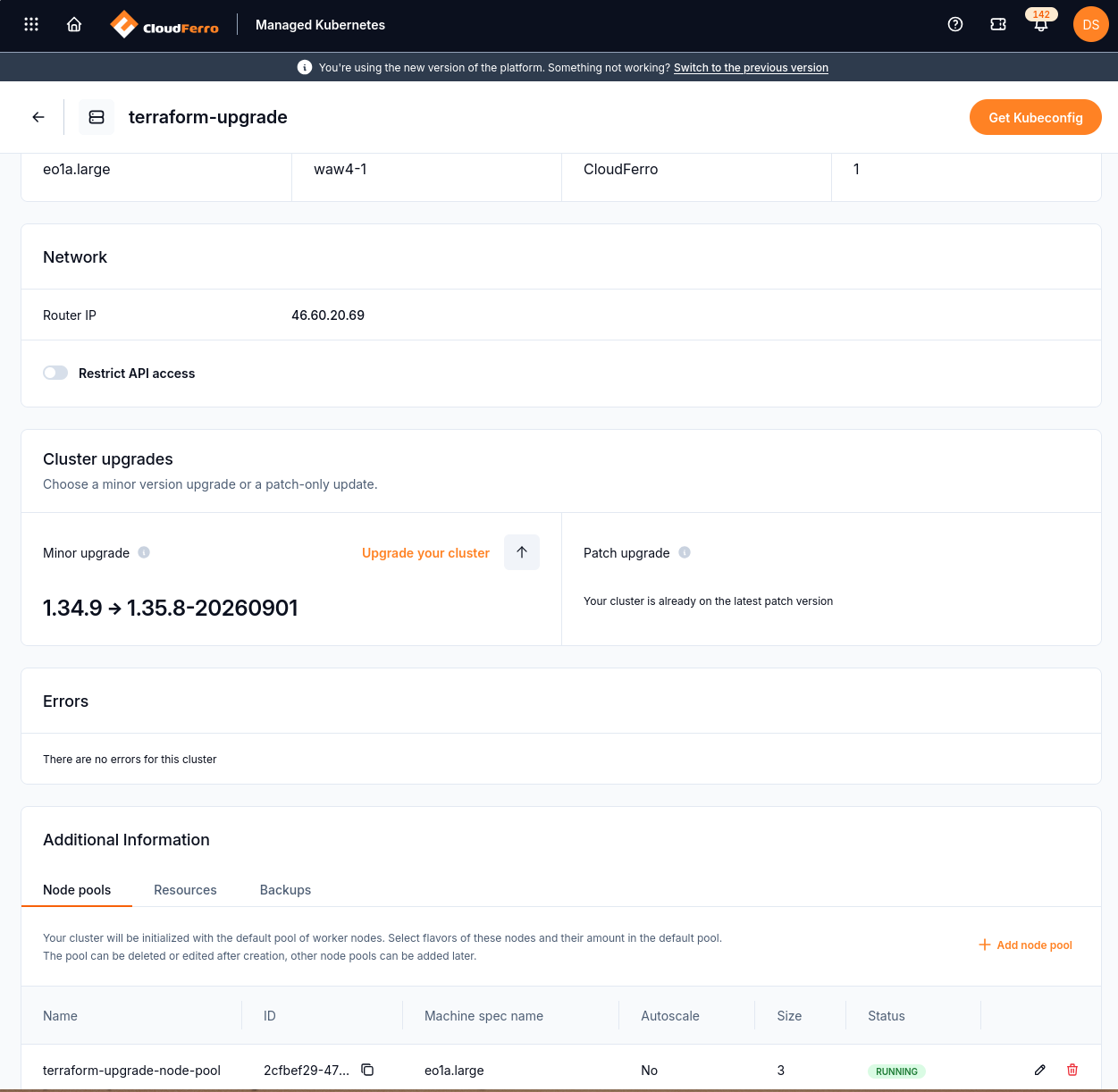
The minor upgrade panel shows the current version and the offered target version.
If a minor upgrade is available, select Upgrade your cluster. The captured example moves from 1.34.9 to 1.35.8-20260901. Use the target offered for your own cluster; these example values are not a list of currently supported versions.
Read the Upgrade to a newer version dialog before clicking Upgrade. Back up the cluster and check application compatibility with the target version.
The dialog states that both control plane and worker nodes are updated using Create-Swap-Delete. An additional node is temporarily added during the upgrade, so ensure that the project has capacity for it.
Warning
After the upgrade, this cluster cannot return to the previous version. Plan for possible workload disruption and verify your applications after the upgrade.
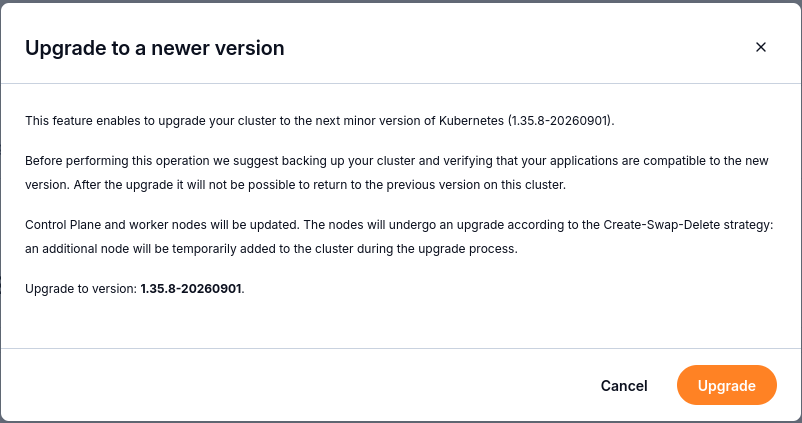
The confirmation dialog identifies the target version and explains the upgrade strategy.
While the upgrade runs, the cluster status changes to UPGRADING.
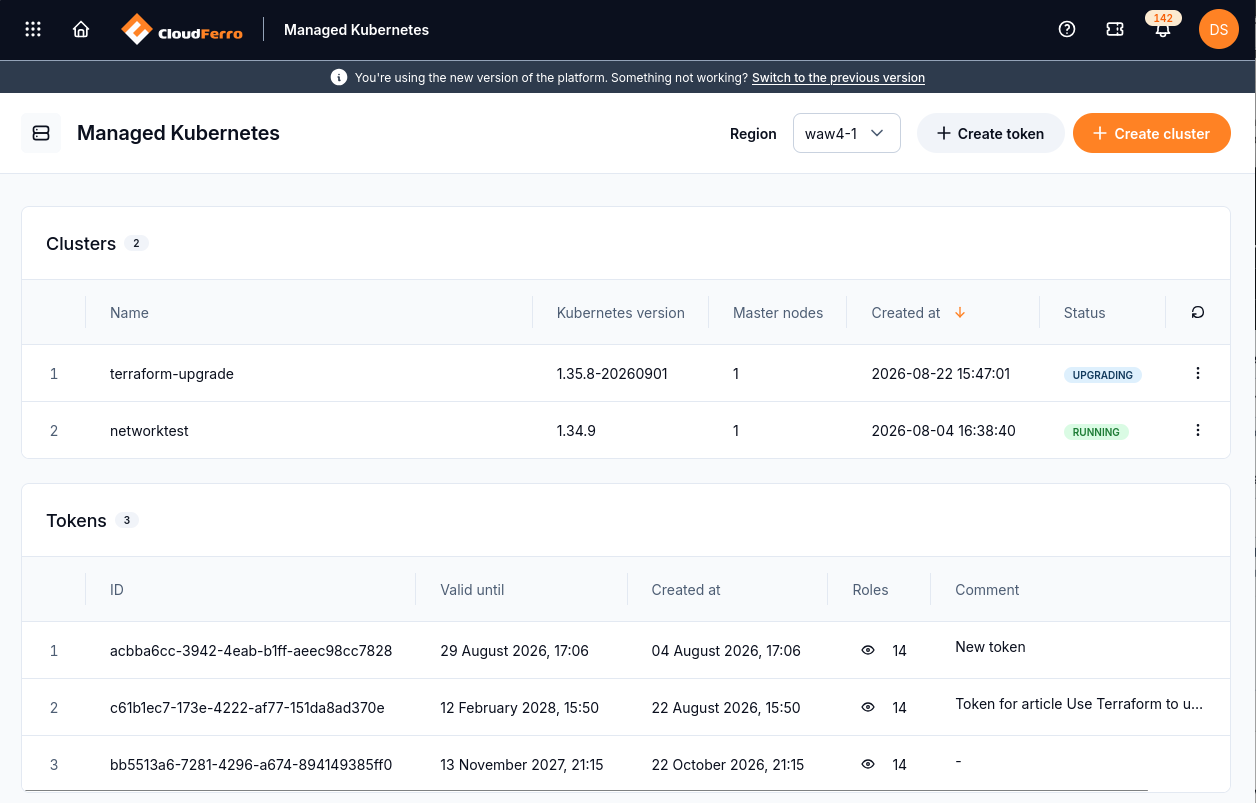
The cluster list shows UPGRADING while the version change is in progress.
When the upgrade completes, the cluster returns to RUNNING and the Kubernetes version is updated in the cluster details.
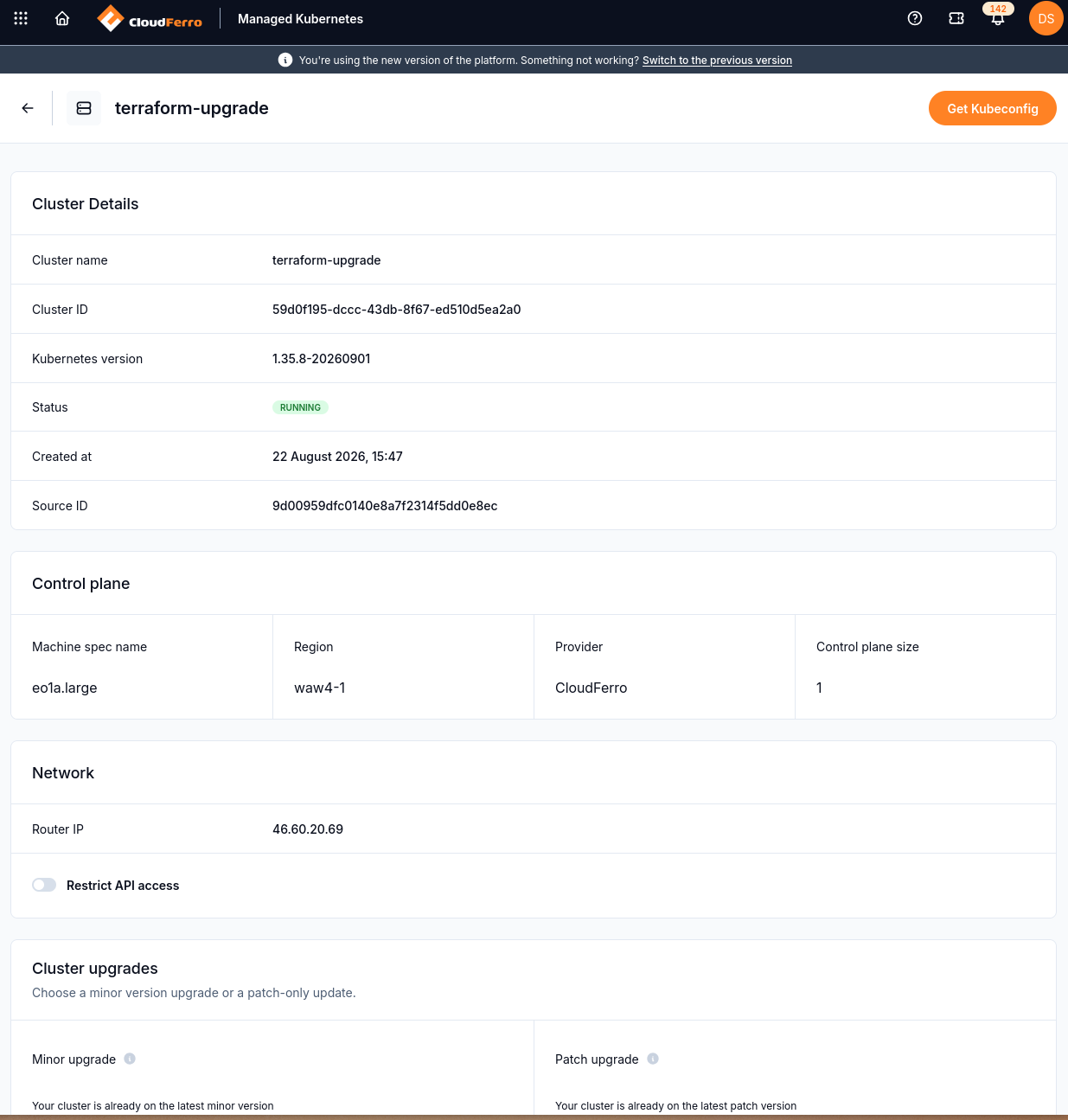
The cluster is RUNNING on the target version after the upgrade.
Note
The Cluster upgrades panels show whether another minor or patch upgrade is available. The downloaded kubeconfig remains valid across upgrades.
After the upgrade
Check node readiness in the terminal:
kubectl get nodes -o wide

Example node list with a Ready control plane and Ready workers. Node names and counts depend on your cluster.
Verify:
Nodes are Ready.
System workloads are healthy (DNS/networking/storage).
Your key applications and ingress endpoints work.