
Sherlock chat completion endpoint on CloudFerro Cloud
The chat completion endpoint is used for conversational requests to Sherlock AI models. It accepts a list of messages, sends them to the selected model, and returns a generated answer. Use this endpoint for chatbots, assistants, text generation workflows, question answering, summarization, and other tasks where the model should respond to user input.
Sherlock AI exposes this endpoint through an OpenAI-compatible API, so existing OpenAI client libraries can be used by changing the base_url and providing a Sherlock AI API key.
Endpoint
Send a POST request to the following endpoint:
https://api-sherlock.cloudferro.com/openai/v1/chat/completions
The request must include the Sherlock AI API key in the Authorization header. The key is passed as a bearer token.
Prerequisites
No. 1 A configured client and project API key
Complete the client installation and API-key configuration in Get started with the Sherlock API. Have SHERLOCK_API_KEY set in the terminal where you will run the examples, with curl or the OpenAI Python client available for your chosen method.
No. 2 An available chat model ID
Query the models endpoint and choose a chat model for your project. Copy its ID exactly into the model field in the examples below.
Request format
A chat completion request contains the selected model and a list of messages. Each message has a role and content.
The most common roles are:
system - sets the general behavior of the assistant.
user - contains the user request.
assistant - can be used to include earlier assistant responses when continuing a conversation.
The following minimal request body sends one user question to the model:
{
  "model": "Bielik-11B-v3.0-Instruct",
  "messages": [
    {
      "role": "system",
      "content": "You are a helpful assistant."
    },
    {
      "role": "user",
      "content": "How to book a table at Ritz in Paris?"
    }
  ]
}
Send a chat completion request with curl
The following curl example sends a POST request to the chat completion endpoint. The API key is read from the SHERLOCK_API_KEY environment variable and passed in the Authorization header.
curl https://api-sherlock.cloudferro.com/openai/v1/chat/completions \
  -H "Authorization: Bearer $SHERLOCK_API_KEY" \
  -H "Content-Type: application/json" \
  -d '{
    "model": "Bielik-11B-v3.0-Instruct",
    "messages": [
      {
        "role": "system",
        "content": "You are a helpful assistant."
      },
      {
        "role": "user",
        "content": "How to book a table at Ritz in Paris?"
      }
    ]
  }'
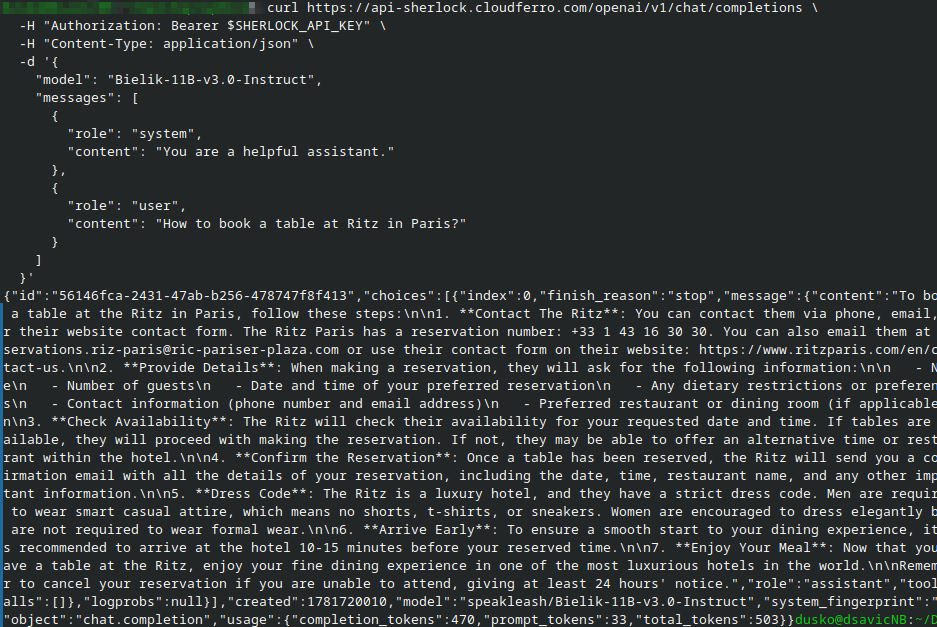
A successful response contains the generated assistant message and additional metadata returned by the API.
This is what it might look like in the terminal screen:
Send a chat completion request with Python
The Python example uses the OpenAI client library and sets the Sherlock AI API endpoint as the base_url.
Run the following script in your configured Python environment:
import os
from openai import OpenAI

client = OpenAI(
    api_key=os.environ["SHERLOCK_API_KEY"],
    base_url="https://api-sherlock.cloudferro.com/openai/v1",
)

messages = [
    {
        "role": "system",
        "content": "You are a helpful assistant.",
    },
    {
        "role": "user",
        "content": "How to book a table at Ritz in Paris?",
    },
]

chat_response = client.chat.completions.create(
    model="Bielik-11B-v3.0-Instruct",
    messages=messages,
)

print(chat_response.choices[0].message.content)
The result:
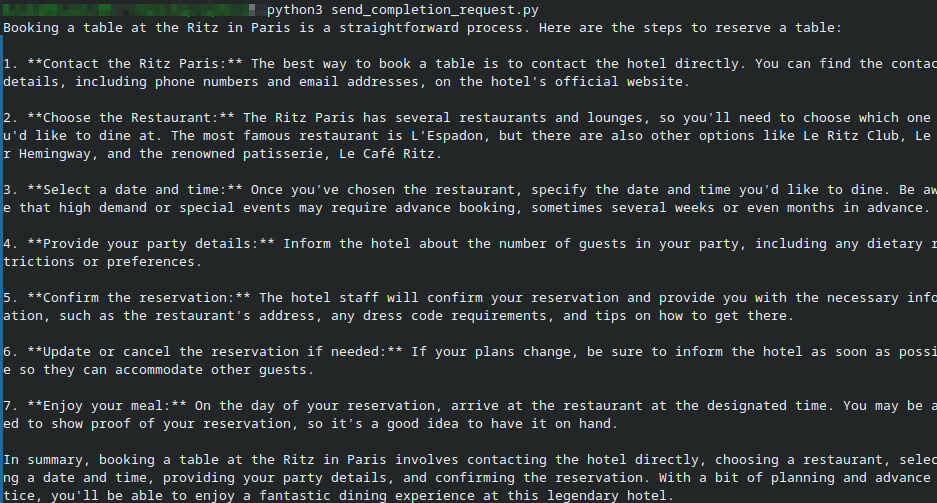
This script sends the message list to the selected model and prints only the generated answer. If you need the full response object for debugging, replace the last line with:
print(chat_response)
Continue a conversation
To continue a conversation, send the earlier messages again together with the new user message. The model does not remember earlier requests automatically; the conversation history must be included in the messages list.
messages = [
    {
        "role": "system",
        "content": "You are a helpful assistant.",
    },
    {
        "role": "user",
        "content": "Suggest three restaurants in Paris.",
    },
    {
        "role": "assistant",
        "content": "Here are three options: ...",
    },
    {
        "role": "user",
        "content": "Which one is best for a business dinner?",
    },
]
In production applications, keep the conversation history on your backend and send only the messages required for the current task. Very long histories increase request size and may affect latency or exceed the model context limit.
Troubleshooting
If the request returns an authentication error, check that SHERLOCK_API_KEY is set in the same terminal session where you run curl or Python. Also verify that the key was copied correctly and belongs to the Sherlock AI project you want to use.
If the API rejects the model, check the model ID with the models endpoint and copy it exactly. Model IDs are case-sensitive.
If Python cannot import the OpenAI library, install it in the same environment where you run the script. On systems with several Python versions, use python3 -m pip install openai and run the script with the same python3 command.
What to do next
Continue with the Chat Playground guide.
Continue with the consumption and events guide.