
Monitor Sherlock consumption and events on CloudFerro Cloud
After trying models or changing project resources, you may want to see which models processed tokens and which actions were recorded. Sherlock provides usage views in Overview and Consumption, and an activity list in Events history.
Select your project using the project guide before following these checks. The figures show example records; your values depend on the activity and period selected.
Compare model usage in Overview
Open Overview → Project overview.
Find Model usage ranking and set Period to the dates you want to inspect.
Select Input tokens or Output tokens to compare that category across models.
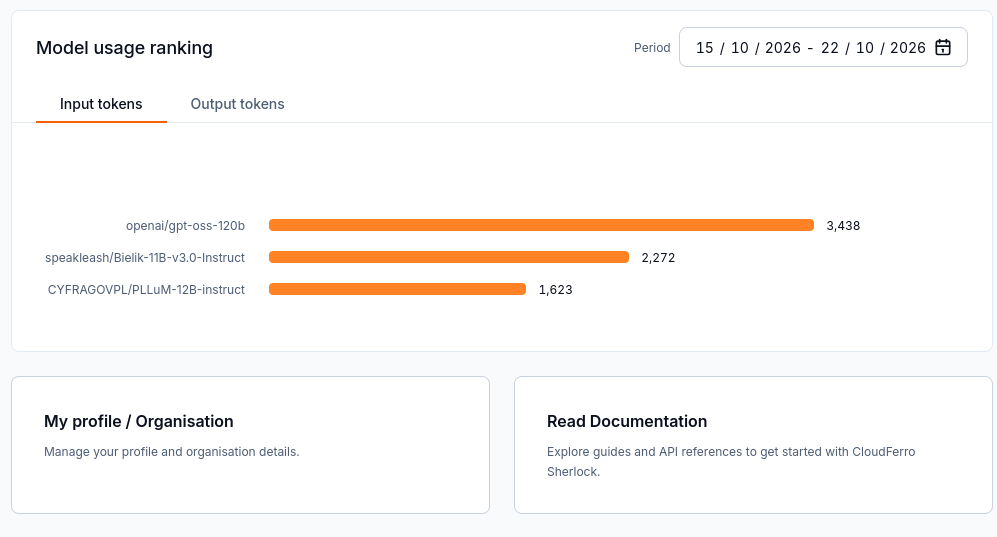
The ranking groups token usage by model for the selected period.
The ranking measures usage. A model with more tokens is not necessarily more accurate or more suitable for your task.
Inspect Consumption
Open Consumption in the left menu.
Set Period on the Tokens consumption panel.
Read the chart together with the table beneath it. The table separates Model name, Input tokens, and Output tokens.
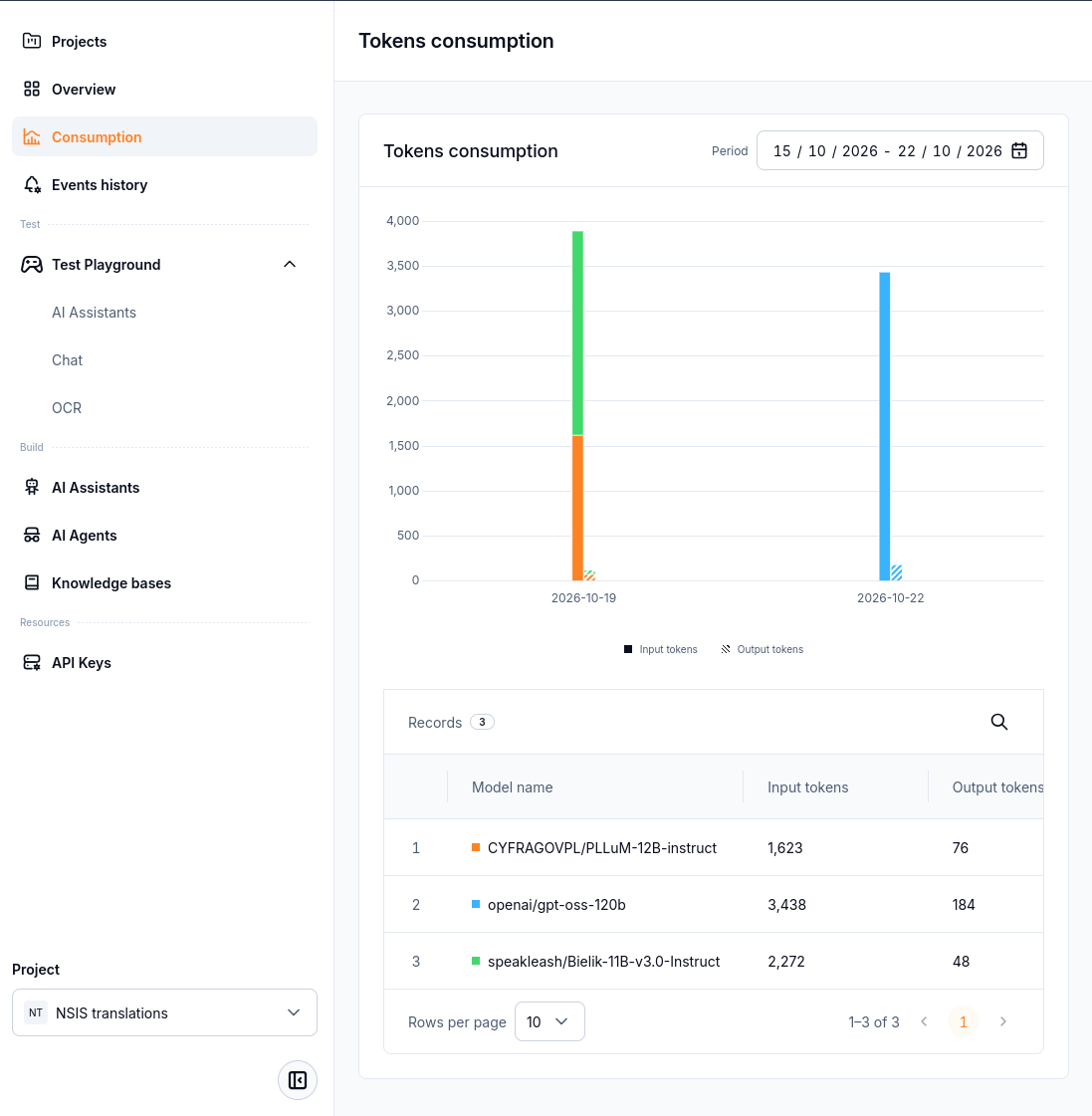
The chart shows activity over time; the table reports input and output tokens for each listed model.
If the period does not cover your request, widen the date range. Check the selected project as well when the expected model is absent. These screens display token counts; they do not by themselves evaluate answer quality.
Find and export project events
Open Events history.
Set Period to include the action you want to inspect.
Read Date, Event, Principal, and Event description to identify the recorded action and who performed it.
Select Export CSV when you need a CSV copy of the event records.
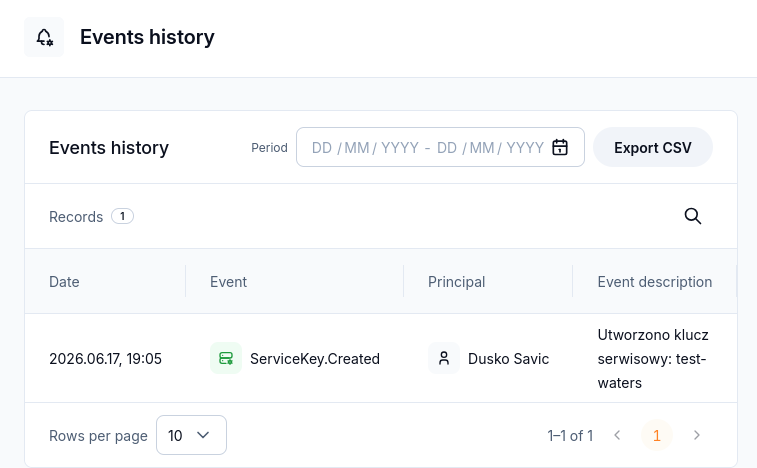
The example records an API-key creation event. The principal identifies the actor for the recorded action.
A resource event confirms the recorded action. For example, key creation does not demonstrate that an application has successfully made an API request; check the application’s response separately.
What to do next
Return to model testing to compare answers as well as usage.
Use the API-key guide when preparing application access.