
Test Sherlock AI Assistants in the Playground on CloudFerro Cloud
A saved assistant needs a test conversation to check whether its answers follow the intended purpose. Test Playground → AI Assistants runs that conversation with the selected assistant.
The example asks about Kubernetes. Use a question relevant to your own assistant when checking its instructions or document context.
Prerequisites
Select the project that contains the assistant. If you need to prepare one, follow Configure AI Assistants. For document-based testing, also check the linked agent’s file-processing status using the AI Agents guide.
Select the assistant
Open Test Playground → AI Assistants.
Choose your assistant from Select assistant. The list contains assistants available in the selected project.
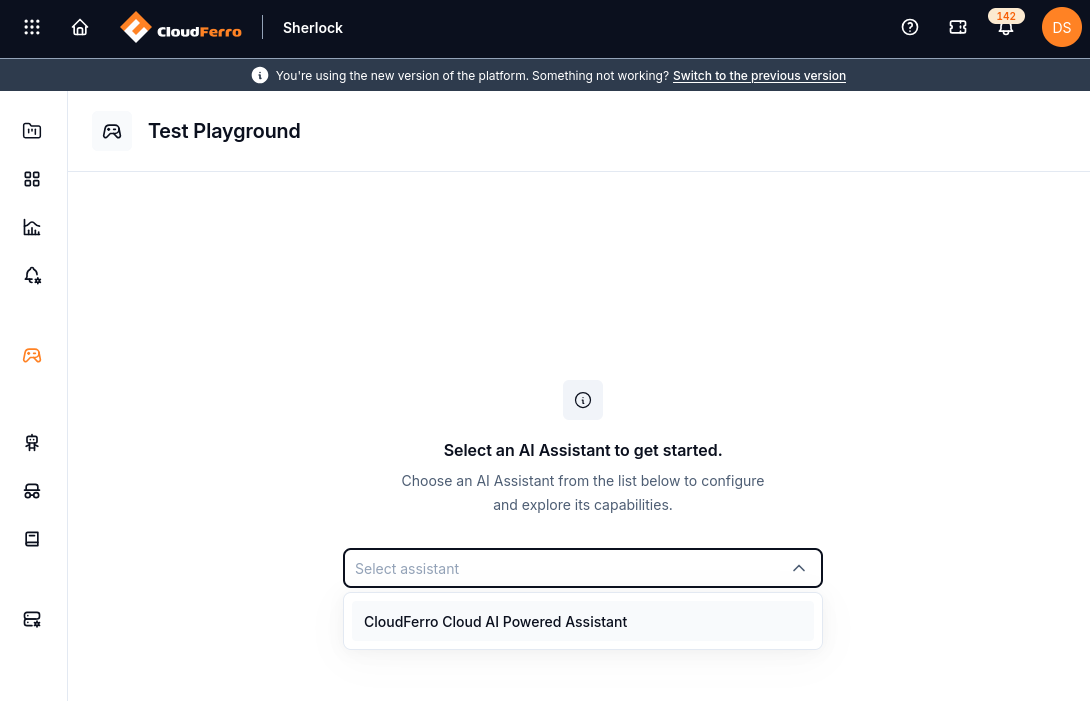
Select an existing assistant before starting the conversation.
You can also open a saved assistant under Build → AI Assistants and use Test assistant.
Send a message and read the answer
Enter a prompt in the message box. For a general assistant, try Explain what Kubernetes is used for in two short paragraphs.
Select the send icon, or press Enter. Use Shift+Enter for a new line.
Read the answer in the conversation area. Check its relevance and whether it follows your instructions.
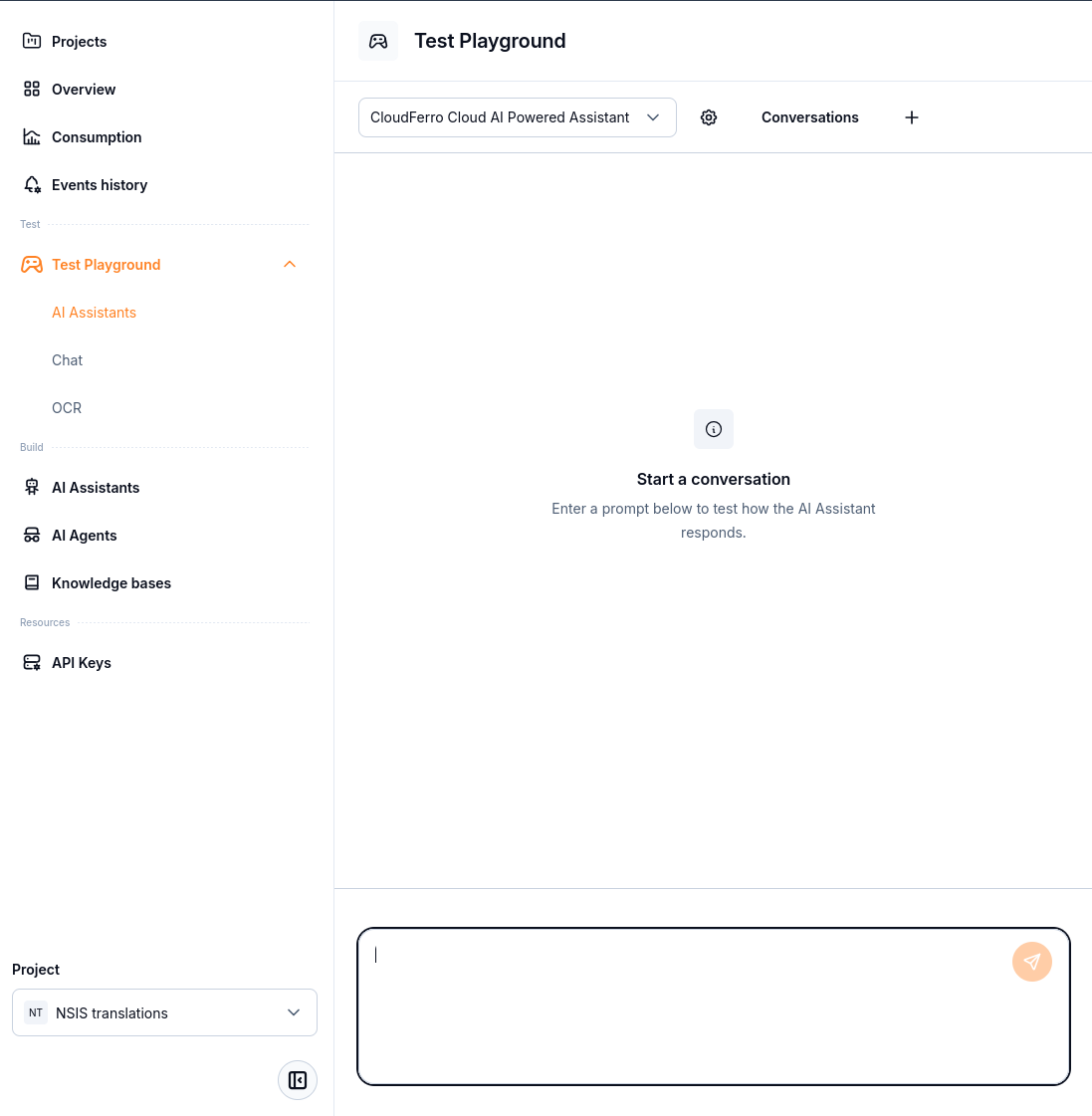
The selected assistant appears above the conversation area. Enter a prompt in the box at the bottom.
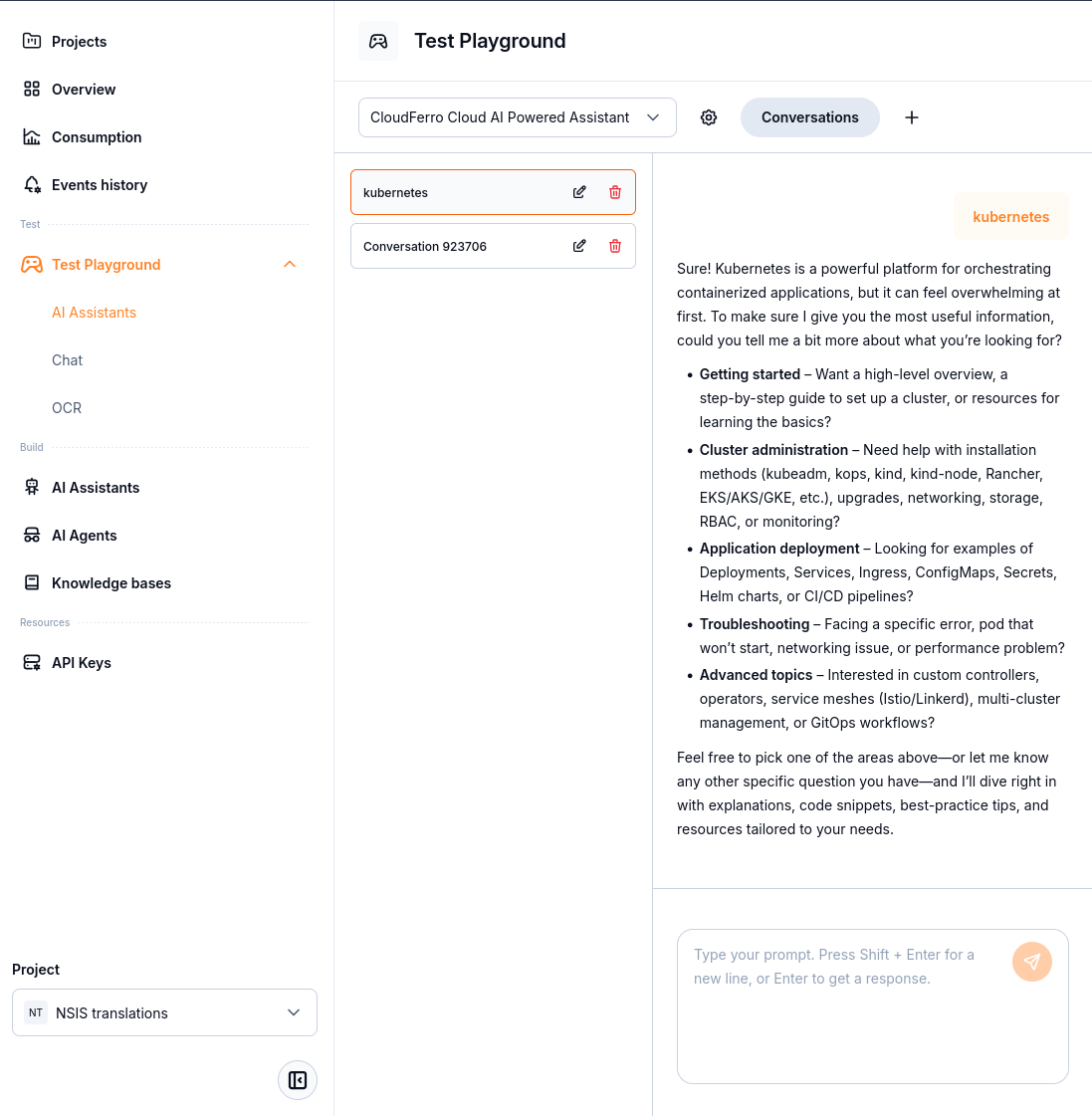
The example shows an answer to kubernetes. Actual wording depends on the assistant and the request.
For a document-based assistant, ask a question whose answer you can check in an uploaded document. A fluent answer alone does not prove that the expected documents were retrieved. Compare the response with the source material.
Manage test conversations
Use Conversations to show the conversation list and select an earlier conversation. The plus button starts a new conversation. Each listed conversation has an edit icon and a delete icon.
Use a new conversation when you want to test without the preceding exchange. If the wrong assistant is selected, change the assistant selector before sending another prompt.
No assistant to select: check the project and whether the assistant has been saved there. The AI Assistants menu under Build opens resource configuration; it is separate from this Playground page.
What to do next
Adjust the saved configuration in AI Assistants and run another test.
Inspect document retrieval settings and processing in AI Agents.
Review Consumption and Events history for the selected project.