
Manage functions with the CLI on CloudFerro Cloud
When you edit function code locally, the cfr command-line interface lets you repeat the build and deployment lifecycle from a terminal. It uses the same API as My Portal, which provides resource provisioning, status, tests, and credentials.
Prerequisites
No. 1 Account and access to Functions
Your account needs access to Functions in the organization and region used for the deployment. Follow Prepare your first function on CloudFerro Cloud to check the service context and availability.
No. 2 Platform CLI
The CLI workflow requires the platform’s cfr command.
Identify the namespace
Keep the namespace ID with your deployment details when comparing CLI operations with the portal. The portal confirms a successful copy with Namespace ID copied.
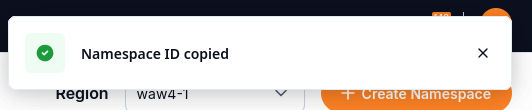
The portal confirms that the namespace ID has been copied.
CLI (function lifecycle)
The platform CLI groups function commands under cfr function.
The following command outline shows a typical cycle. Replace angle-bracket placeholders, choose one language from python, node, or go, and include –wait only when needed. The vertical bars and square brackets show alternatives and an optional flag; they are not literal shell syntax to copy.
cfr login
cfr function init <name> -L python|node|go
# edit the code locally (for example, python main.py)
cfr function build [--wait]
cfr function deploy
cfr function rollback --version <revision>
cfr function buildpacks a ZIP and sends it to the API. The image is built in the cloud (Tekton), not locally in Docker.cfr function deployrolls out the image from the platform registry. It uses the same endpoint as the Deploy button in the UI.To read the build status:
cfr function build get --job-id <uuid>.A local invoke, and a local Docker build, are not part of v1. Test from the Test tab, or with your own runtime.
What to do next
Test the deployed version with Test a function and manage its endpoints on CloudFerro Cloud. For messaging resources managed alongside your functions, use Message Broker (Managed RabbitMQ) on CloudFerro Cloud or Message Streaming (Managed NATS) on CloudFerro Cloud.