
Monitor and troubleshoot Functions on CloudFerro Cloud
An unavailable function, a slow first response, and a rejected portal operation can have different causes. Use the deployment state, request response, logs, and resource limits to identify which part of the service needs attention.
Prerequisites
No. 1 Portal access and resource details
Sign in to My Portal and select the organization and region used by the function. Prepare your first function on CloudFerro Cloud explains this setup. For function-specific checks, have the namespace, function, and version available; access checks can be made before a function exists.
Logs, metrics, audit, and limits
Use the function and namespace information to separate an application response from a failed deployment or a blocked management operation.
Information |
Available checks |
|---|---|
Logs |
Search messages and filter by time and version. |
Metrics |
Choose metric panels and the time range. |
Audit logs |
Filter management operations by action, result, identity, and CRN. |
Limits |
Check usage against namespace and function limits, and read alerts when a limit blocks an operation. |
Warning
Function code can write data to the logs. Do not write passwords, tokens, or other sensitive data there.
Read the monitoring tabs
On Metrics, select the time range for the requests you are investigating. The panels show CPU, RAM, replicas, request rate, errors, and error rate. An empty panel has no data for the selected range.
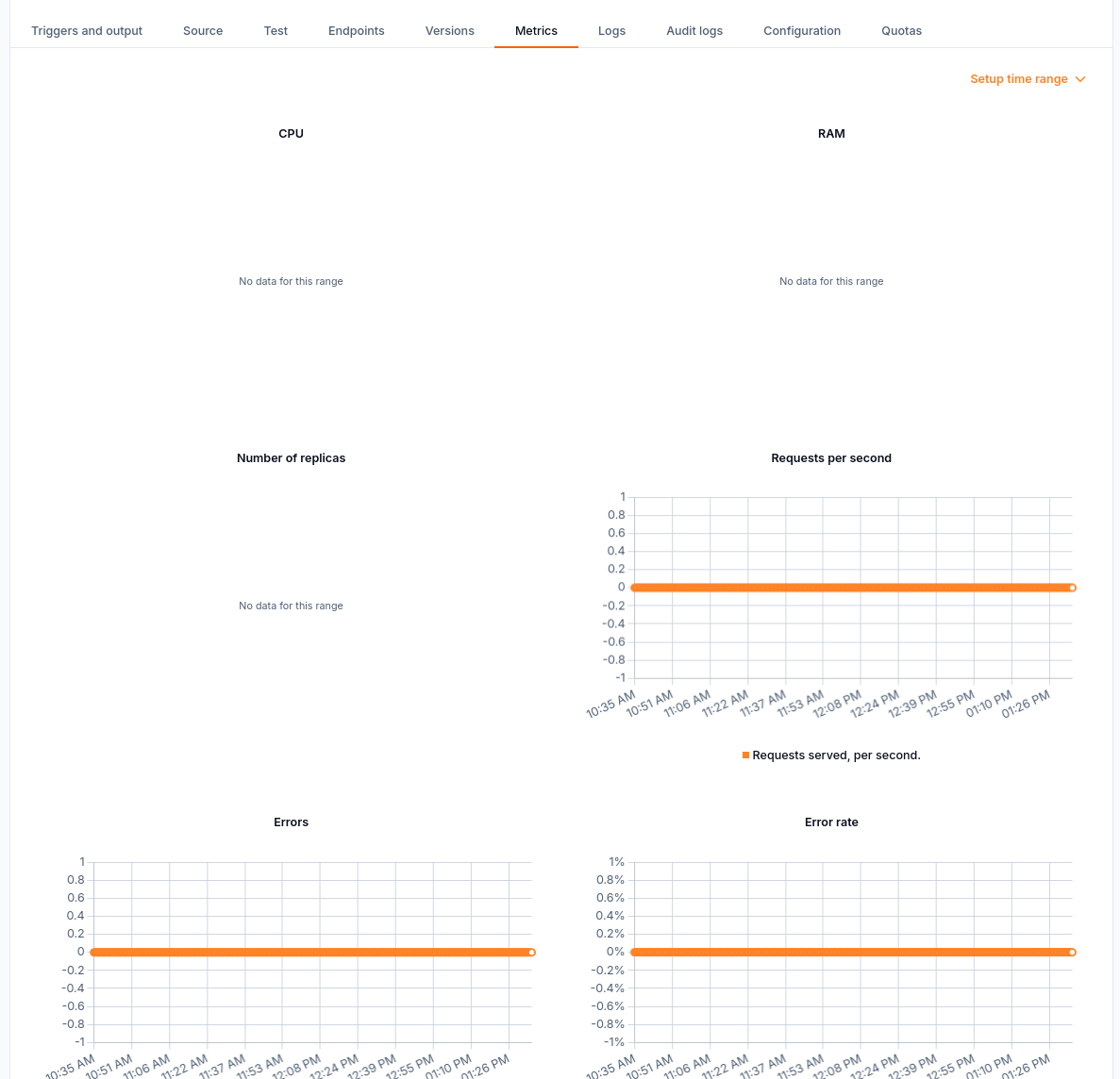
Metrics panels include CPU, RAM, replicas, requests, and errors.
On Logs, select the time range and check the version associated with each message. If there are no log rows, check that the selected time range covers the request.
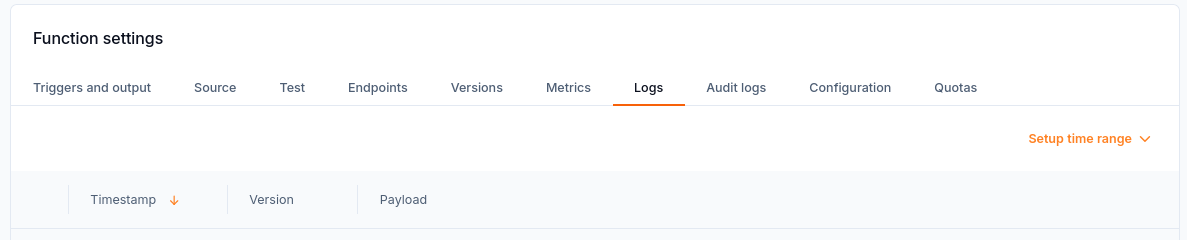
The Logs tab provides a time-range control and columns for timestamp, version, and payload.
On Audit logs, inspect management actions and their outcomes. CreateFunction with Succeeded confirms the creation operation; it does not confirm that a deployed function returned a successful response.
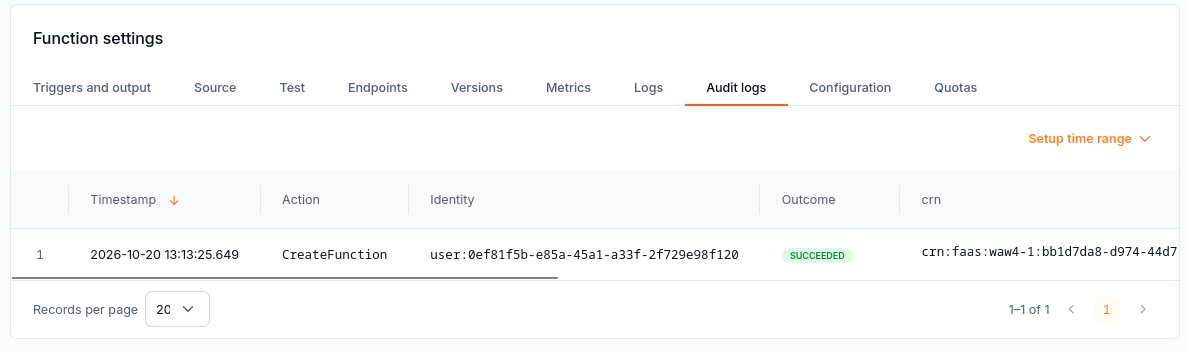
The audit log records a successful CreateFunction management operation.
On Quotas, compare current usage with the limits for the function and its replicas. Use the values shown for your organization rather than treating the example limits as fixed service limits.
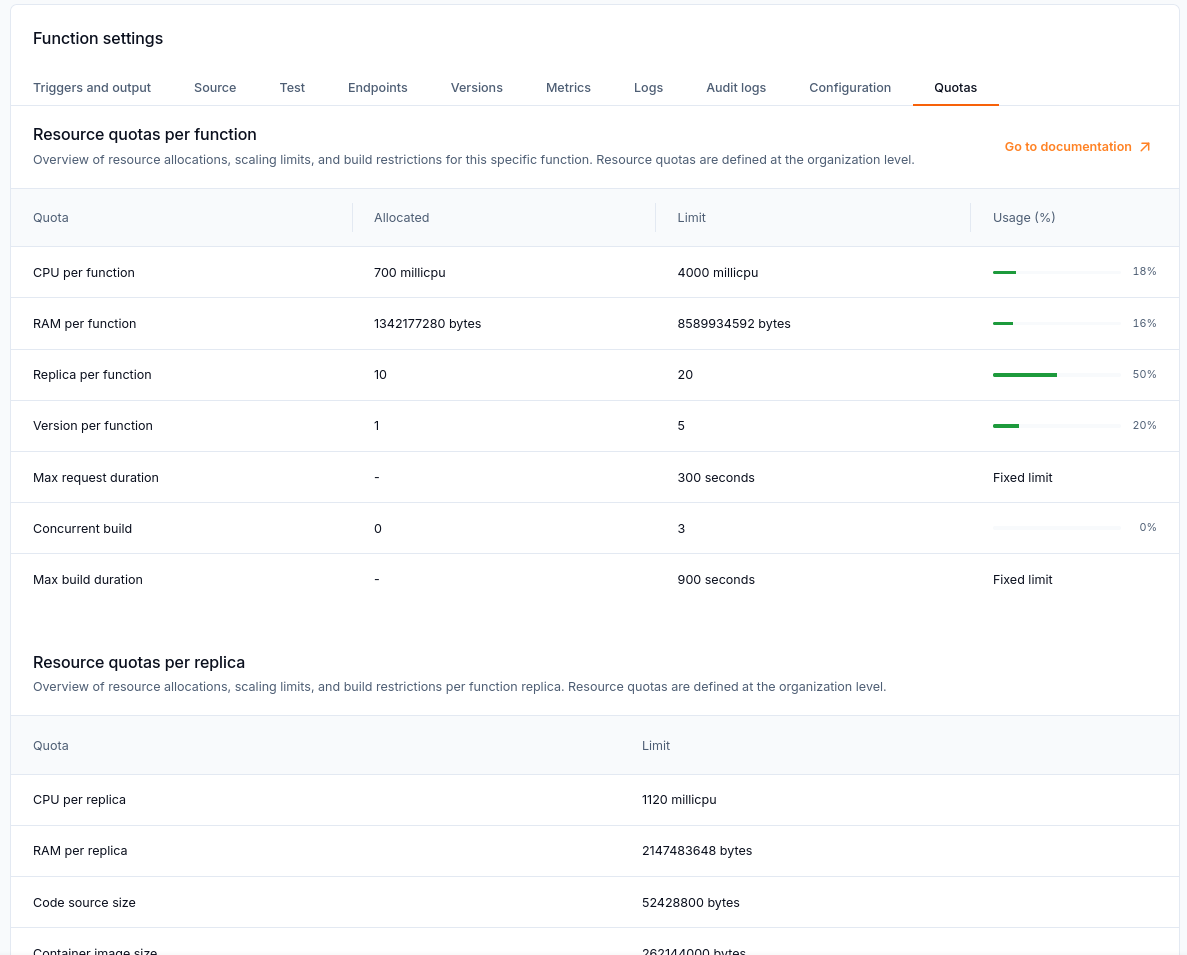
Quotas compares current usage with limits for the function and its replicas.
Check a symptom
Symptom |
What to check |
|---|---|
Functions is hidden or shows Access restricted |
Check the selected organization, required role, active service or contract, and product availability. The product may have no endpoint in that region, or its interface may not have loaded. This screen does not mean a resource has failed. |
Build finished but the function is Inactive |
Open Versions and deploy the version explicitly. Building alone does not deploy it. |
Build or deployment reports an error |
Open the version’s error details. Check that the source matches its runtime and template; an uploaded ZIP must not exceed 50 MiB. |
First request is delayed |
Check whether KPA scaled the function to zero. Starting a replica on demand causes a cold-start delay. |
External application cannot reach the function |
Check that a version is deployed and that the caller uses the public endpoint. A private function is not directly reachable from the internet. |
Test returns 4xx or 5xx |
Read the response body and the logs for the tested version and time. A status returned by function code is not always a Control Plane error. |
RabbitMQ or NATS connection test fails |
Check both services’ regions, connection settings, and credentials, then run Test configuration. Check dead-letter settings if used. |
Application lacks a secret after configuration changes |
Check that all required values were retained. The API does not show secret values again. |
An operation is blocked by a limit |
Read the limit alert and check namespace and function usage. |
Namespace cannot be deleted |
Delete every function in the namespace first. |
Correct a malformed test body
The sum-numbers example expects JSON in Request body. Pasting Content-Type: application/json: above the JSON produces an incorrect request body. That line is not JSON and causes this handler to return 400.
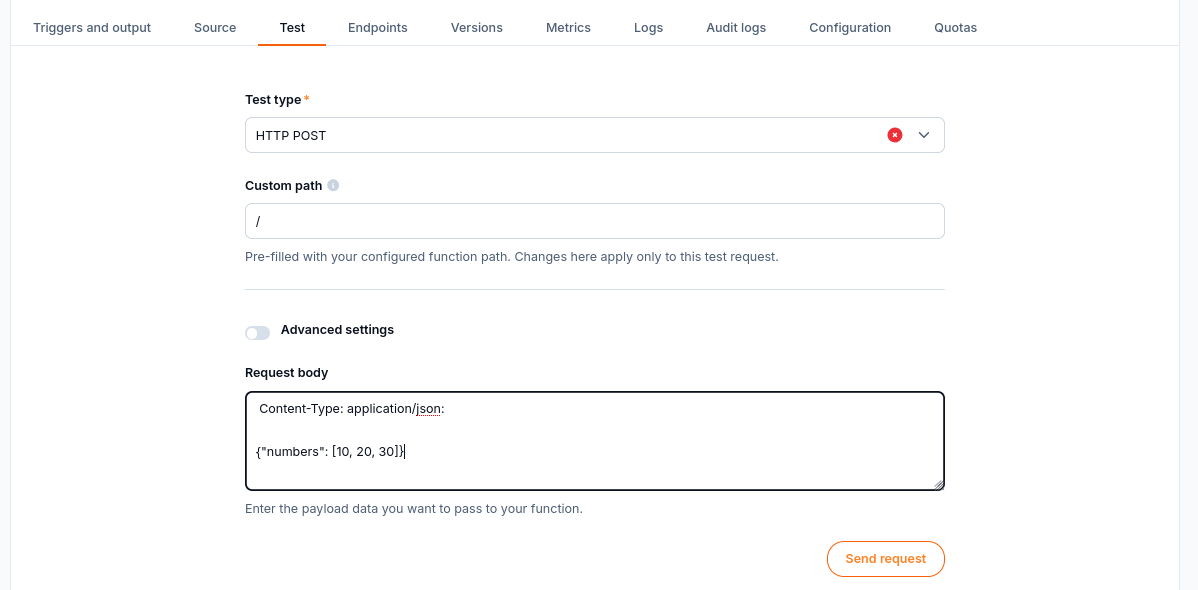
Incorrect request body: the Content-Type line is mixed with the JSON payload.
Remove the header line and leave only the payload:
{"numbers": [10, 20, 30]}
Select Send request and read Response below the form. With the example version deployed, the expected result is HTTP 200 with {"total": 60}. If the body is OK, the original template is still running; build and deploy the version containing the sum-numbers code.
What to do next
Use Manage function versions and resources on CloudFerro Cloud for deployment, rollback, and deletion actions. For changes to resources, scaling, or secrets, use Configure function resources and scaling on CloudFerro Cloud.