
Prepare your Message Streaming account on CloudFerro Cloud
Before opening the account creation form, you need to know which organization and region will own the account and how much event history your applications need. Checking those choices first gives you the capacity values to enter when creating nats1, or an account for your own workload.
Prerequisites
No. 1 Portal access and permission to create an account
Sign in to My Portal and select the organization that will own the account. It needs an active service or contract, and your account needs permission to use Message Streaming and create a NATS account. The product must be available in your intended region.
No. 2 An application or small example to connect
Identify what will publish messages and which applications need to read them. For the job-status example, these are a processing worker, a dashboard, and a reporting application. Have an estimate of message size, incoming event volume, and the history each reader needs; Definitions of terms on CloudFerro Cloud explains the resource names used in that plan.
Choose the region
Open Message Streaming and check the Region selector. The screenshots use waw4-1; choose the region appropriate for your resources. The selected region is read-only in the account creation form.
Message Streaming remembers its selection separately from Functions and Message Broker. For a Functions integration, the function and NATS account must be in the same region. Resources are not replicated between regions automatically.
Organization quotas
Before creating an account or credentials, check Organization quotas on the Message Streaming page. It shows the current use and limit for NATS Accounts and Credentials. These organization quotas are separate from the message size, storage, and duration limits configured for an individual account.
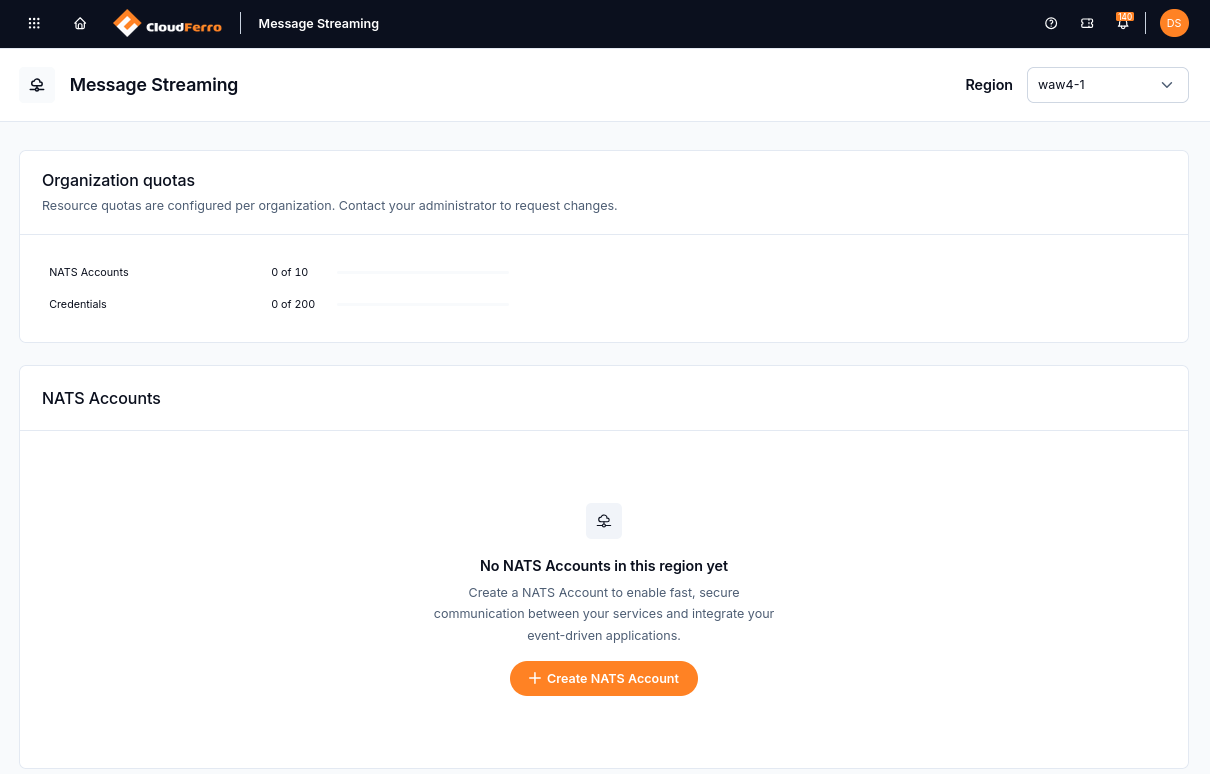
The example organization has no accounts or credentials in use. Your organization’s displayed limits may differ.
Contact your administrator to request changes to the organization quotas.
Prepare the values for the creation form
The creation form separates General information from Configuration. Choose an account name, such as nats1, and a version available in the catalogue. Then prepare Message size and Storage in kB, and Duration in minutes. The form displays the maximum allowed for each field.
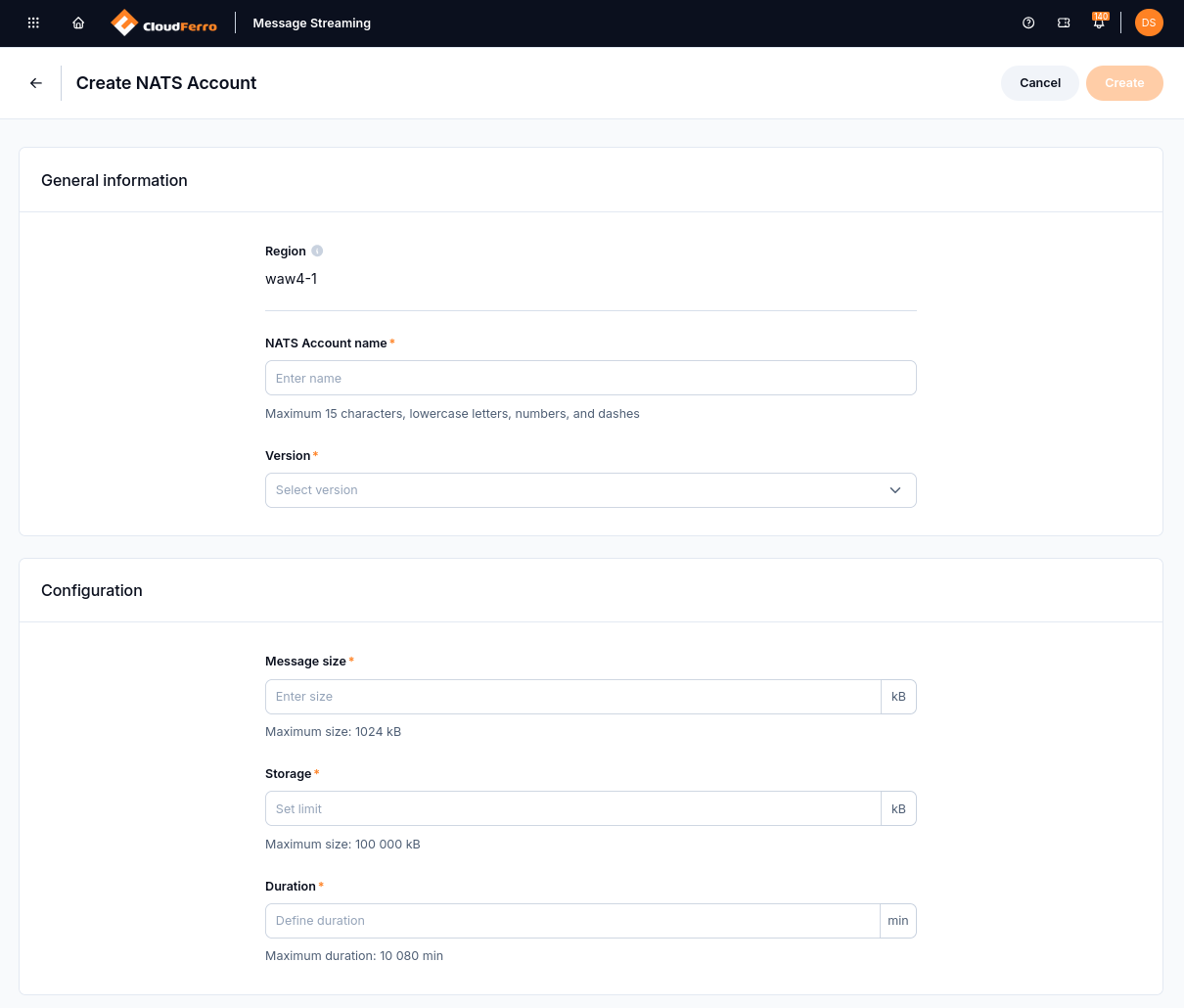
The fields under Configuration describe the capacity you will assign to the account.
A consumer that returns after downtime needs its earlier events to remain available. Account capacity and stream retention together determine how much history your applications can keep.
Match the account to your workload
Capacity setting |
What to consider |
|---|---|
Message size (max_payload) |
Limits the size of one message. Keep events compact; for a large input file, send its Object Storage location so the consumer can retrieve it separately. |
Storage and duration (disk_storage and max_duration) |
Set the storage and duration limits around the event history consumers need. Configure each stream’s retention within those limits. |
Stream count (max_streams) |
Limits how many streams the account can contain. Separate event histories into streams when they need different storage or retention settings. |
Plan for the readers
Start with the longest period a consumer may need to catch up. Estimate the event volume during that period and leave enough storage for it within the account’s limits. A dashboard and a reporting service may need different histories even when they read the same subjects.
Set each stream’s retention for those requirements. Account limits define the available capacity; they do not create streams or choose the retention settings for them.
Warning
Messages removed by retention cannot be replayed from that stream.
Keep large files outside messages
For a large dataset, put the file in Object Storage and publish its location in the event. The consuming application needs its own access to that object. This keeps the event compact while allowing the application to retrieve the data separately.
What to do next
Preparation is complete when you have access to the selected organization, the intended region, available quota, and the name, version, and capacity values for the form. Continue with Create your first NATS account on CloudFerro Cloud to submit it and follow the account through to Active.
With an existing account, Work with streams and consumers on CloudFerro Cloud describes how subjects, streams, and readers fit together.