
Generate and replace NATS credentials on CloudFerro Cloud
Each application needs credentials to connect to its NATS account. Separate NATS users let you replace or revoke one application’s access without replacing every application’s credentials.
Prerequisites
No. 1 Portal access to the account
Sign in to My Portal with access to Message Streaming in the organization that owns the account. Your permissions must allow you to manage its NATS users.
No. 2 An active NATS account
Complete Create your first NATS account on CloudFerro Cloud if you do not already have an account. Select the region containing that account and check that its status is Active.
Generate and download credentials
Open an active account.
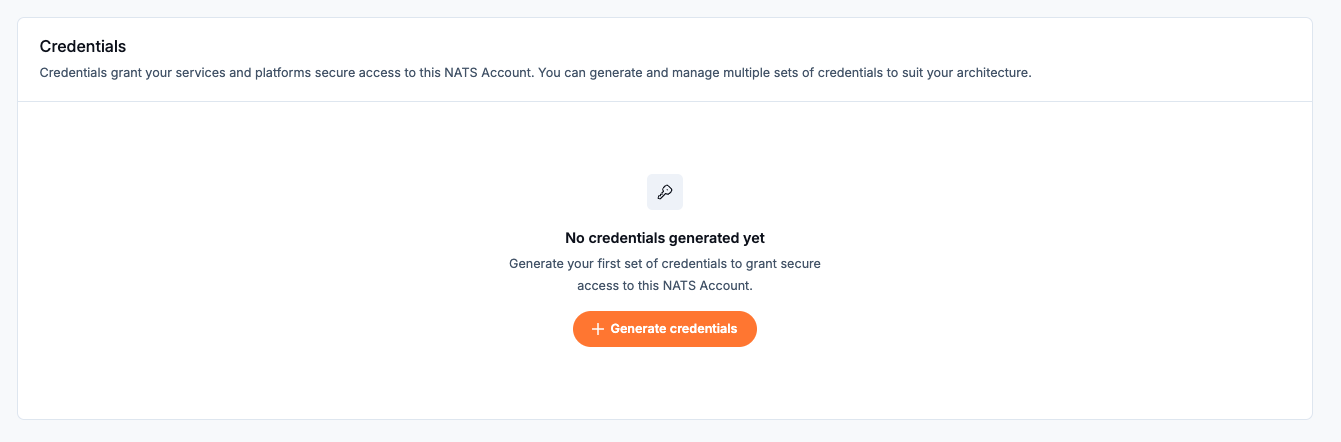
Credentials section before any NATS credentials have been generated.
Select Generate credentials.
Enter a Credentials name, such as cred1. The form allows up to 10 characters and no special characters.
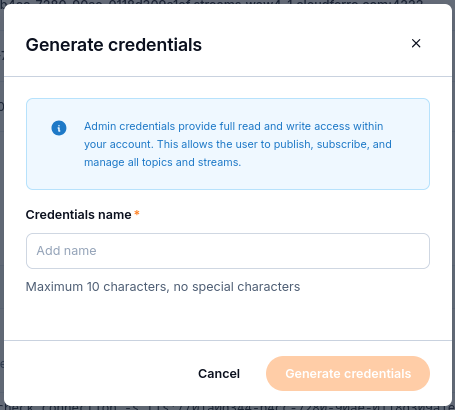
The dialog describes these as admin credentials with full read and write access within the account, including publishing, subscribing, and managing topics and streams.
Select Generate credentials in the dialog. The new entry initially shows Creating.

cred1 is still being prepared; the download is not ready yet.
Wait for Ready to Download.
Select Download Credentials.
Store the
.credsfile in a secure secrets store.
Important
The credentials file can be downloaded only once. Store it in a secure secrets store.
Replace lost credentials
If the file is lost, create credentials for a new NATS user:
Create a new NATS user in the same account.
Download the new user’s .creds file.
Switch the application to the new file.
Check that the application connects with the new credentials.
Delete the old user so the previous access is revoked.
Use the same sequence when replacing an application’s credentials. Keep track of which application uses each NATS user so you can identify the affected connection before revoking access.
Revoke a user’s access
Delete the NATS user in My Portal when its credentials should no longer be used. Deleting a user revokes that user’s access; any application still using its credentials needs another valid user.
What to do next
Use Connect with the NATS CLI on CloudFerro Cloud to check the endpoint and credentials. Account-wide monitoring and removal are covered in Monitor and remove a NATS account on CloudFerro Cloud.