
Tag immutability and retention on CloudFerro Cloud
Release tags need to keep pointing to the container images your deployments expect, while unused versions can consume the project’s storage quota.
Two policies address these needs: tag immutability protects selected tags, and retention determines which artifacts to keep. The rule examples and dry-run checks help you configure both policies and review a cleanup before it deletes anything.
Prerequisites
No. 1 Permission to change project policies
Open an existing project in the correct organization and region, following Manage registry projects on CloudFerro Cloud for project setup. Changing project policies requires RegistryAdmin. Confirm that you can access the project’s Policy tab.
No. 2 The repositories and versions that must be kept
Use Push and pull artifacts on CloudFerro Cloud to inspect the project’s repositories and tags. Identify the versions used by running deployments before defining a retention rule. Use a separate test repository for the worked examples so that you can inspect the matches without changing release policies.
Tag immutability
A tag immutability rule protects matching tags from being overwritten or deleted. Use it for release
tags such as 1.* or v*, so that a deployed version can never change silently.
Create a rule
Open Policy and select Tag immutability.
Select Create immutability rule.
Repositories: choose Matching or Excluding and enter the pattern.
Tags: choose Matching or Excluding and enter the pattern.
Save the rule.
Patterns:
several patterns are separated with commas, for example
backend,frontend;*matches any characters except/;**matches any characters, including/;examples:
**(everything),team-a/**,v*,1.*.
A project can have up to 15 rules. Rules are combined: a tag is immutable if any enabled rule matches it.
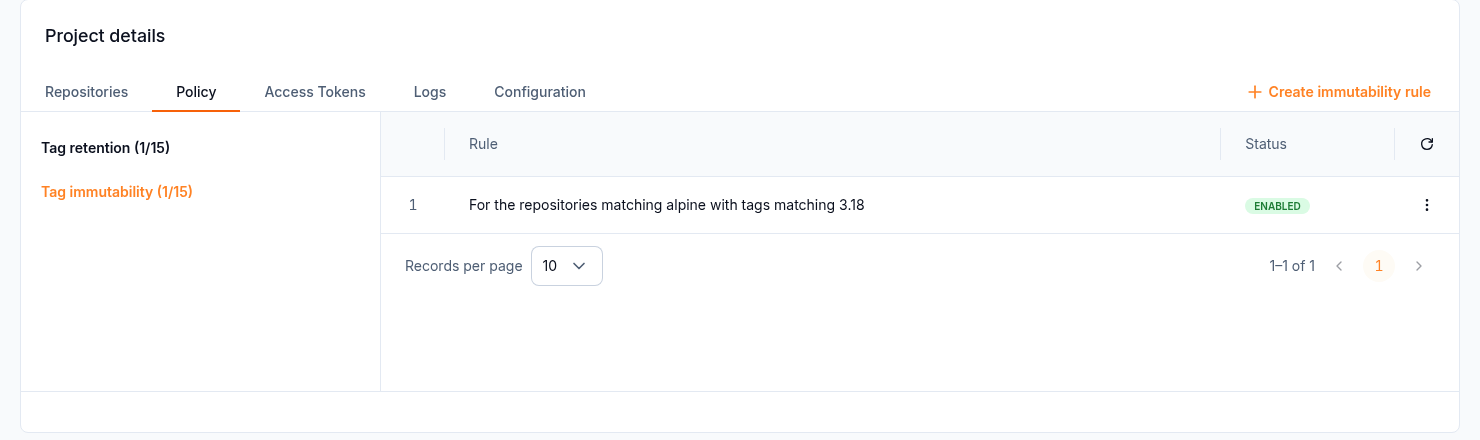
Tag immutability rules
Worked matching example
For repository backend, choose Matching with repository pattern backend and tag pattern v*. Tags v1.0.0 and v1.1.0 match; dev-1 does not. The same tag in repository frontend does not match this rule. Review both the repository pattern and the tag pattern before enabling a rule.
What happens
Pushing to an immutable tag fails with an error like:
PRECONDITION: ... configured as immutable
New tags that do not match a rule can still be pushed. A project or repository with immutable tags cannot be deleted until you remove the rule.
Tag retention
Tag retention deletes artifacts that no rule retains. It keeps storage, and the quota, under control.
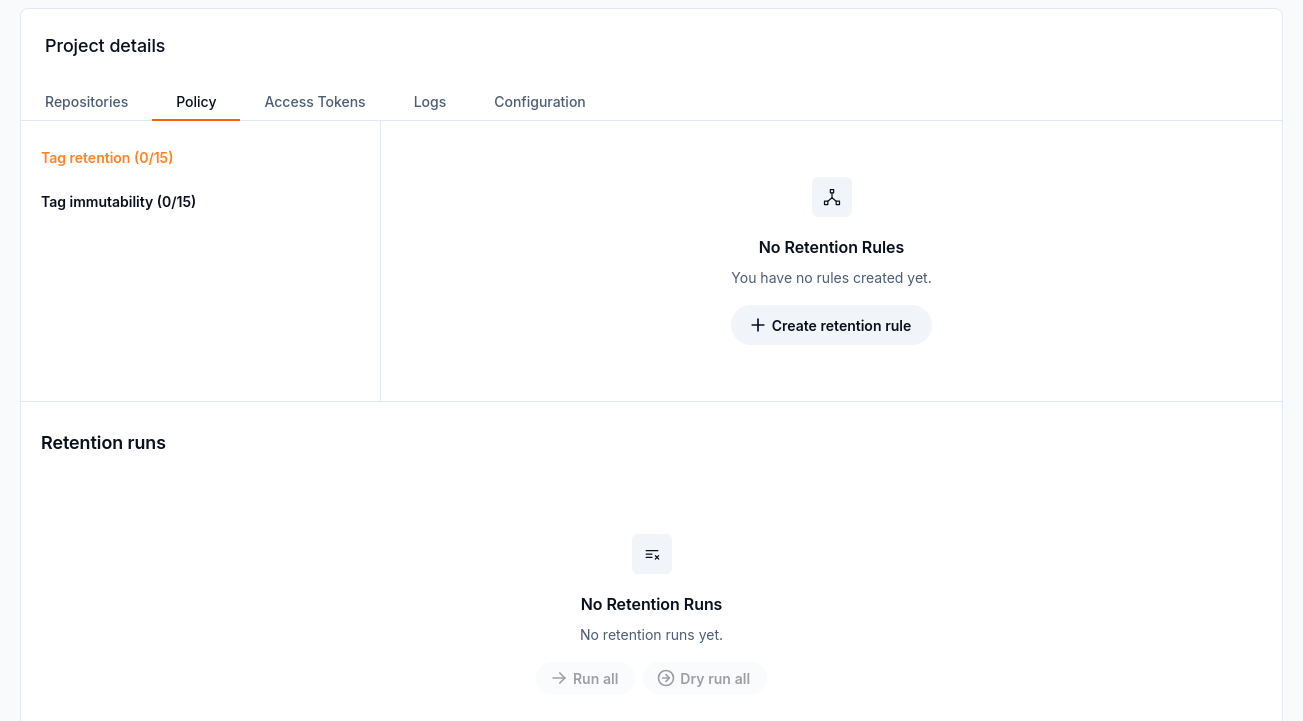
Before any rule is created, the Tag retention view has no rules or runs, and the run buttons are disabled.
Create a rule
Open Policy and select Tag retention.
Select Create retention rule.
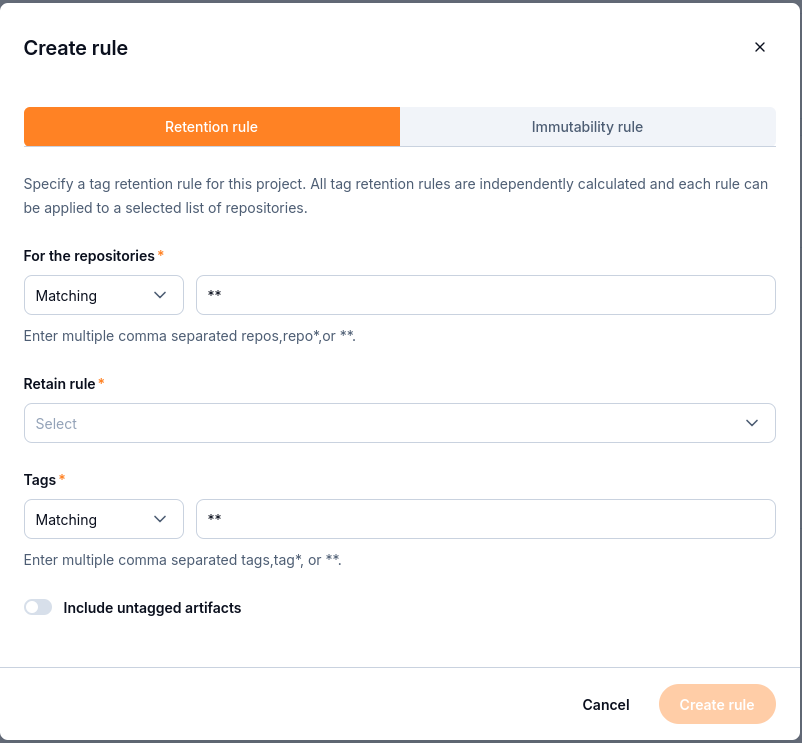
The retention form combines a repository selection, a retain rule, and a tag selection.
Repositories: choose matching or excluding and enter the pattern.
Retain rule - choose one:
the most recently pushed N artifacts;
the most recently pulled N artifacts;
artifacts pushed within the last N days;
artifacts pulled within the last N days;
retain always.
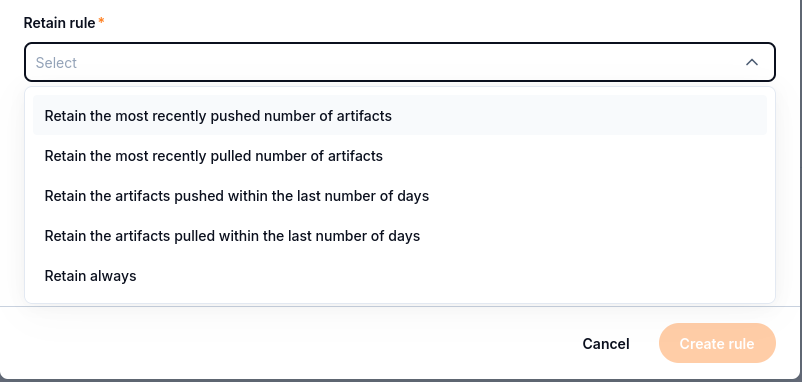
Choose whether to keep artifacts by push or pull history, or retain all matching artifacts.
Tags: choose matching or excluding and enter the pattern.
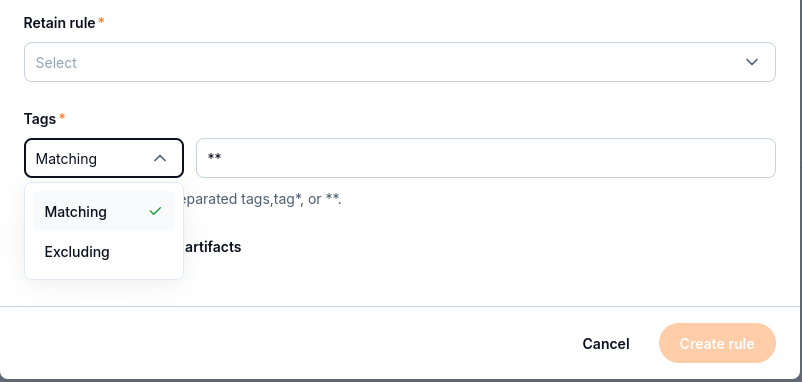
Use Matching to select the tag pattern, or Excluding to leave that pattern out of the selection.
Include untagged artifacts - turn it on if untagged artifacts should also be evaluated by this rule.
Save the rule.
A project can have up to 15 retention rules. Rules are combined with OR: an artifact is kept if at least one rule retains it. Only repositories matched by a rule are affected.
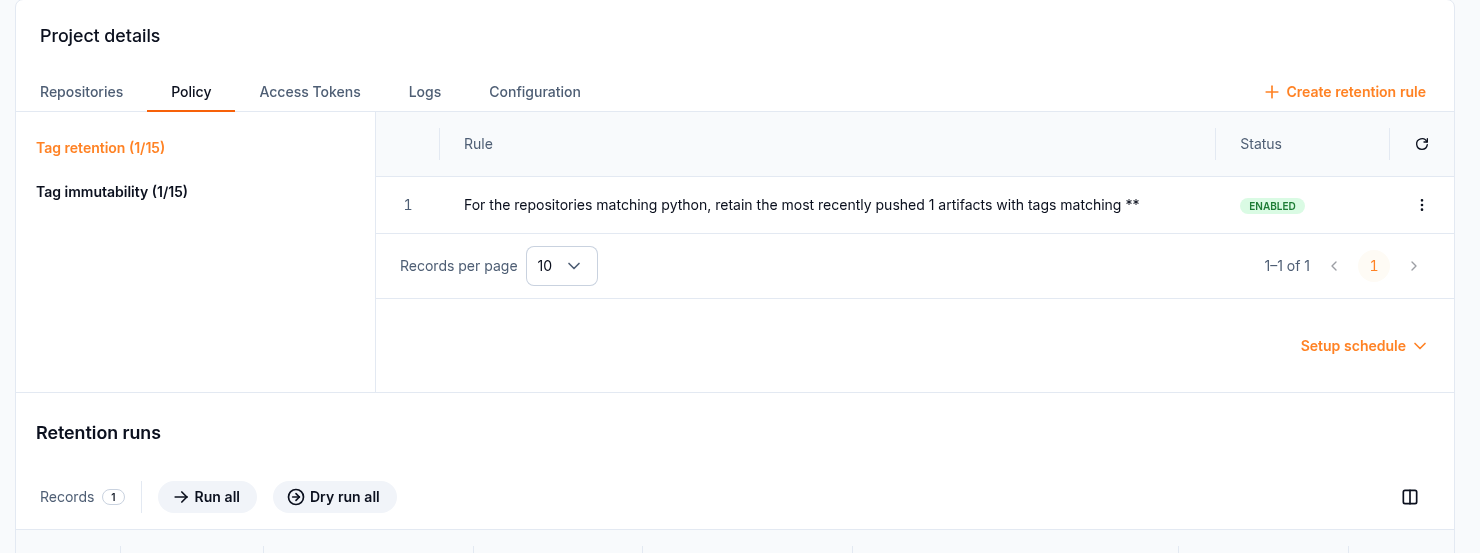
Tag retention rule, schedule, and runs
Worked dry-run example
Suppose a test repository named retention-demo has three separate artifacts, pushed in this order and tagged build-1, build-2, and build-3. For this example, each artifact has one tag, no immutability rule matches them, and no other retention rule applies.
Create a retention rule matching repository retention-demo and tags build-*, and choose to retain the two most recently pushed artifacts. A dry run should retain build-2 and build-3, with Retained / Total showing 2 / 3. build-1 is the deletion candidate; the dry run itself does not delete it. If your result differs, check the artifact push times, additional tags, and other matching rules before running retention.
Run retention
Setup schedule - runs the policy automatically. In the API and Terraform, the schedule is a 5-field cron expression, for example
0 0 * * *.Dry run all - evaluates the rules without deleting anything.
Run all - evaluates the rules and deletes artifacts that are not retained.
Retention runs lists past runs. For each repository it shows Retained / Total, for example
1 / 2.
Retention deletes artifacts permanently. Always:
Start with a Dry run all.
Check Retained / Total for every repository in the run.
Make sure that every tag used by a running deployment is retained by at least one rule.
Only then select Run all or set up a schedule.
What to do next
Check project storage constraints in Quotas and limits on CloudFerro Cloud.
Review the security of retained container images with Scan and sign container images on CloudFerro Cloud.
Investigate policy-related failures with Troubleshooting and frequently asked questions on CloudFerro Cloud.