
Introduction to Functions on CloudFerro Cloud
A webhook may need to validate a request, a new dataset may need a metadata check, or a scheduled job may need a small calculation. Functions runs the code for that task when a request, message, or scheduled event arrives. You supply the code and choose its resources; the service builds and runs the deployed version using Knative.
The first example in these guides accepts three numbers and returns their total. A tour of the portal below shows where that code goes and what a successful response looks like. You can follow the screenshots before creating anything; the preparation article gets your own account and example files ready afterwards.
Typical uses
Functions can take a small processing step out of a larger application:
Handle an HTTP request. A web application or webhook sends data to a public endpoint. The function checks the input and returns a result. The first exercise uses this request-and-response pattern to add 10, 20, and 30.
Process a message. A RabbitMQ or NATS message starts a function that validates or transforms its contents, then passes a result to the next stage of the application.
Run a scheduled check. A CRON trigger starts recurring work, such as checking whether a dataset’s metadata is complete.
A function can combine HTTP access with event triggers. HTTP requests do not require a messaging service. RabbitMQ and NATS triggers need the matching messaging product in the same region. The later trigger and output guide covers those connections and scheduled triggers.
Find Functions in My Portal
In My Portal, open Products, find Functions, and select Go to product. The card introduces the service and its supported types of work. If you need help reaching this screen with your own account, start with Prepare your first function on CloudFerro Cloud.
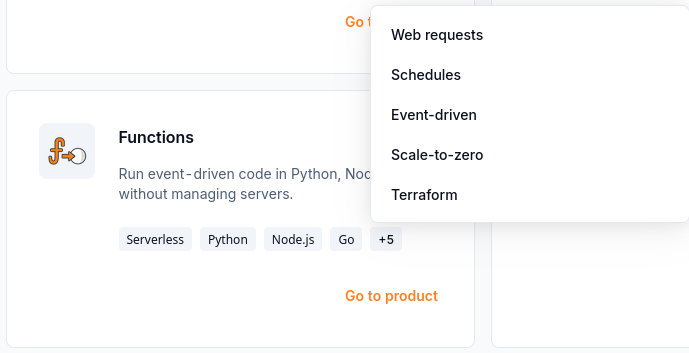
The Functions card opens the service; its extra labels describe the available kinds of work.
The Functions page shows a Region selector, organization quotas, and a list of namespaces. A namespace groups the functions you create. An empty list on your first visit is expected; Create Namespace starts the setup.
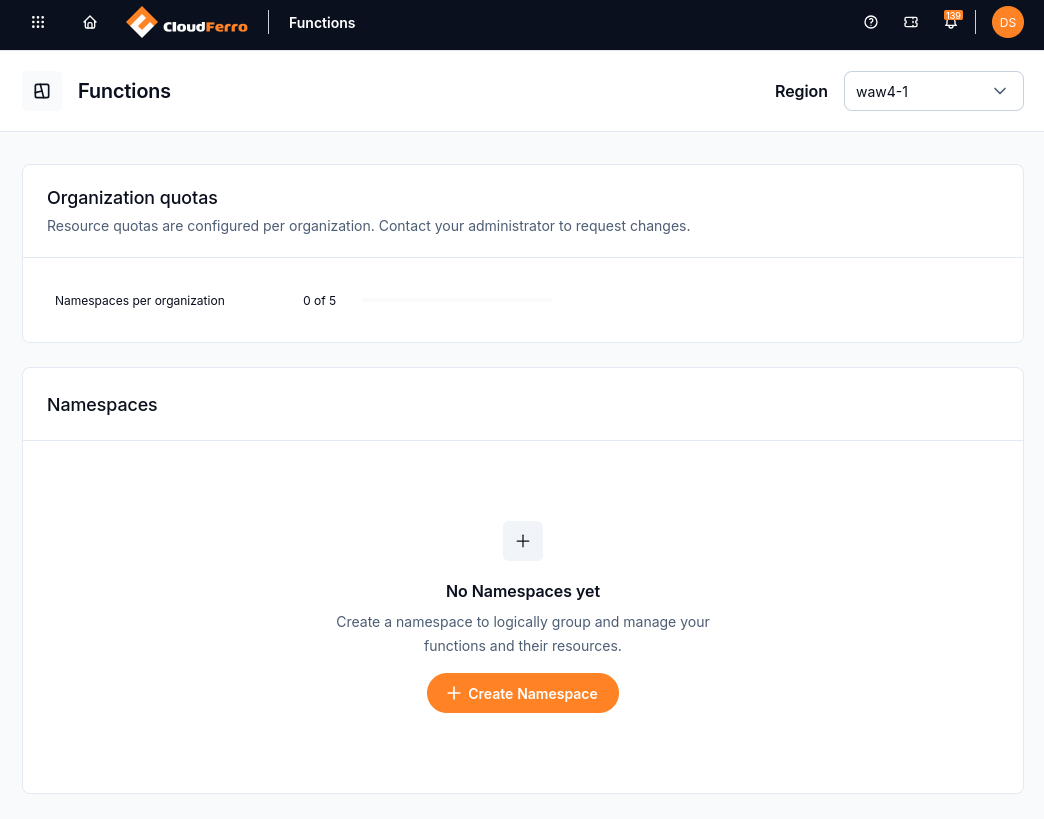
The first Functions screen shows where resources will run and whether a namespace already exists.
From an empty namespace to your code
Inside an active namespace, Create Function opens a choice between Upload ZIP and Create from scratch. The first option uses a project you already have; the second loads a source template into the browser. You choose its runtime and version from the catalogue.
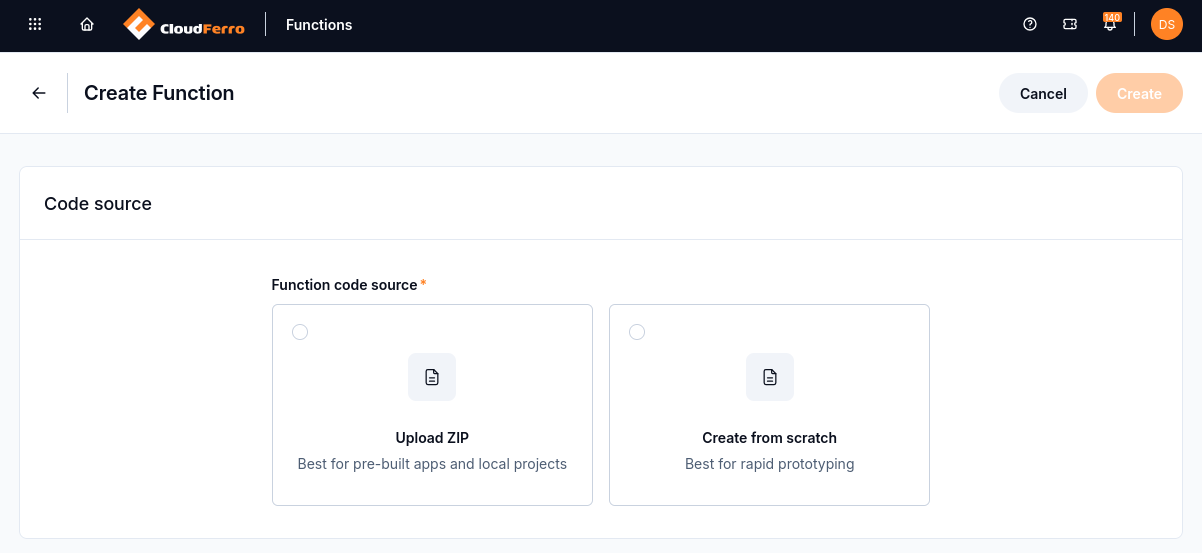
Create Function lets you upload an existing project or begin with a source template.
For sum-numbers, the exercise selects Python 3.13 and loads the template. The editor contains /__init__.py, /func.py, and /test_func.py. The handler in /func.py reads the request, adds its numbers, and sends back JSON; the test file checks that behaviour.
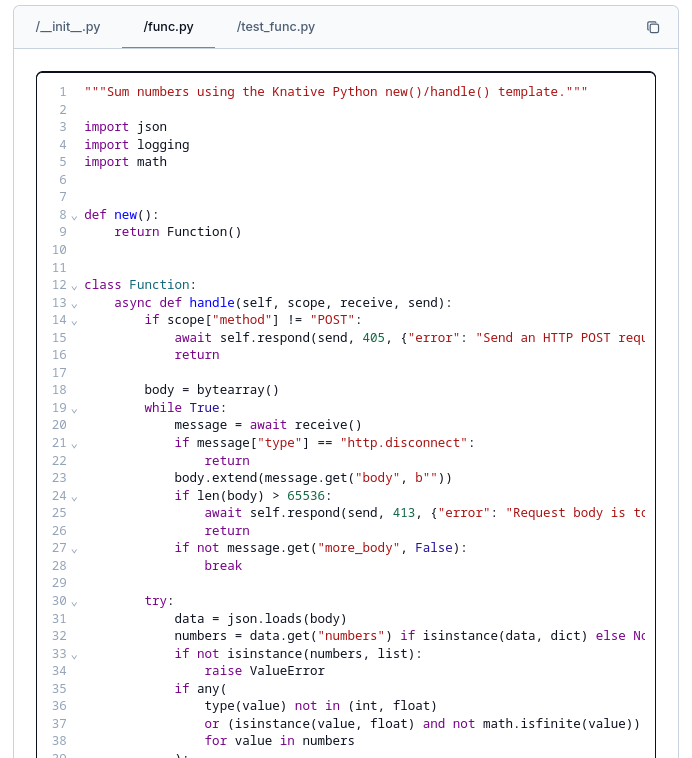
The sum-numbers code replaces the generated handler in the func.py tab.
Below the editor, the creation form asks for a name, port, path, resource size, and scaling settings. Creating the function builds a version of its code. That version must then be deployed explicitly from Versions. The article Create and deploy a function on CloudFerro Cloud takes you through the fields and the build and deployment states.
See what a successful request looks like
After deployment, the function’s Test tab sends a request directly from the portal. In the example, Test type is HTTP POST, Custom path is /, and Request body contains only this JSON:
{"numbers": [10, 20, 30]}
Send request displays a Response below the form. The example returns HTTP/1.1 200 and a JSON body containing total: 60.
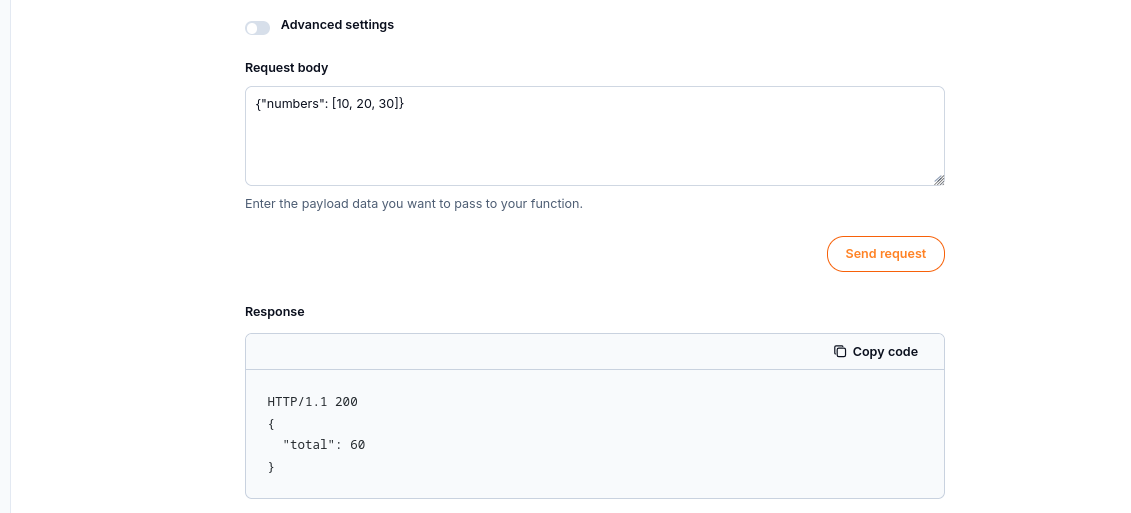
The completed example returns HTTP 200 and the total 60 in the portal.
The article Test a function and manage its endpoints on CloudFerro Cloud reproduces this request and explains private and public endpoints. Endpoints is where you copy the private address or add a public one for an external application. A private function is not directly reachable from the internet.
Where to go after the first response
The remaining tabs support the next stages of the same function:
Source and Versions let you change code, build another version, deploy it, or roll back to an earlier one. Follow Manage function versions and resources on CloudFerro Cloud.
Configuration controls the resources, scaling, environment variables, and secrets used by the code. The settings are introduced below and explained in the resource configuration guide.
Metrics, Logs, Audit logs, and Quotas help you investigate requests and management operations. Follow Monitor and troubleshoot Functions on CloudFerro Cloud when the result or resource status is unexpected.
Match the function to your workload
Setting |
How it supports your application |
|---|---|
Runtime and template |
Define the environment and entry point your code must match. Choose these to suit the language and structure of the function you will deploy. |
Flavor |
Supplies CPU and RAM to each running replica. A task that loads data into memory needs enough RAM; CPU-intensive processing needs enough CPU. |
Request-based scaling (KPA) |
Adjusts replicas to incoming requests and can scale an idle function to zero. An occasional task can stop using running replicas between requests, with a cold-start delay on the next request. |
Resource-based scaling (HPA) |
Adjusts replicas using CPU or memory usage. At least one replica stays running, so this mode suits workloads that need a running instance between requests. |
Minimum and maximum replicas |
Set how many instances stay ready and how far the function may scale. These limits balance readiness and available processing capacity. |
Timeout |
Bounds the time allowed for a request. Choose a value that covers the expected task duration within the service limits. |
Public endpoint |
Allows an external application or webhook sender to call the function over HTTP. A private function cannot be called directly from the internet. |
For an occasional metadata check, request-based scaling with zero idle replicas may be sufficient. An interactive endpoint that needs a prompt response can keep a replica running to avoid the startup delay from scaling to zero. Configure function resources and scaling on CloudFerro Cloud explains how to set these values.
Use Functions with other products
These are examples you can implement with function code and the products’ connection settings:
Private Object Storage: send a bucket name and object key to a function. Its code reads the object through the S3 API, validates metadata or creates a small derived file, and writes the result to the bucket. The function needs credentials for those operations.
Workflows: an Airflow task calls a function’s public HTTP endpoint to perform a reusable validation step. The workflow uses the response to decide whether to continue with a larger processing stage.
OpenStack virtual machines: a web application running on a VM calls a function for a separate task, such as checking a submitted processing request. The VM hosts the application while Functions runs that task’s code.
Message Broker and Managed Kubernetes: a function accepts and validates an HTTP request, then publishes a job through a RabbitMQ output. Containers on Managed Kubernetes consume the job and perform the longer processing task.
For Object Storage, VM, and Workflows examples, your code makes the S3 or HTTP calls. The Workflows user guide covers the scheduled application tasks. RabbitMQ and NATS connections are configured through Triggers and output.
What to do next
Continue with Functions terminology on CloudFerro Cloud to put names to the objects you have just seen. The next article prepares the portal session and Python example files; the creation and testing guides then take you to the same HTTP 200 response shown above.