
Groups: organize users and service accounts on CloudFerro Cloud
When several identities need the same access, an IAM group provides a place to bring users, service accounts, and roles together. Groups under IAM is separate from the billing Resource Groups view.
Prerequisites
No. 1 Access to IAM in the expected organization
Sign in and check the organization using Register or join an organization in My Portal on CloudFerro Cloud. Your account must have access to the group actions you intend to use.
Review groups
Open IAM → Groups. The table shows Type, Name, Created, and Updated, with a three-dot menu for each group. The example contains the predefined groups admin, member, and member+.
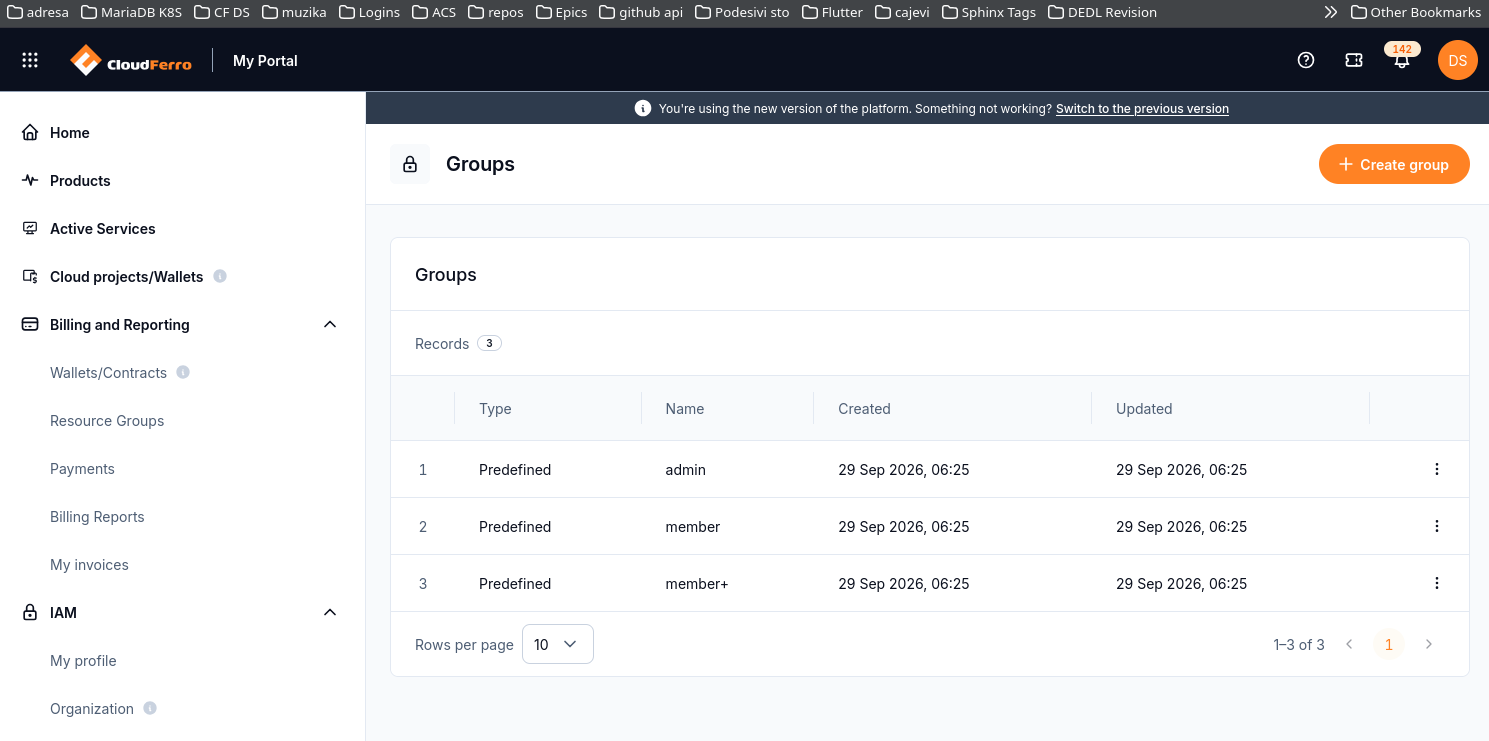
Group names and type are displayed separately from individual role assignments.
Create a group
Select Create group.
Enter the required Group name and, optionally, a Description explaining its purpose.
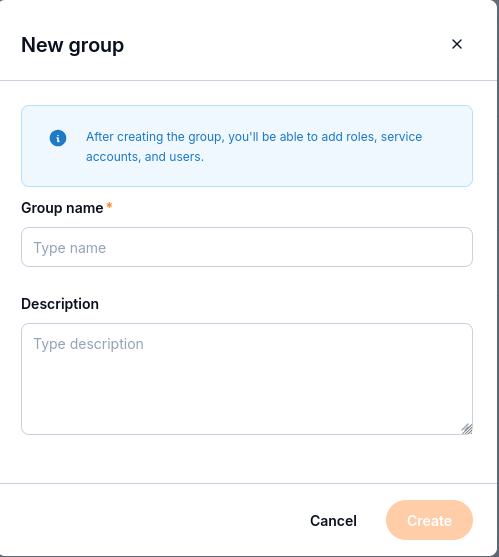
The dialog states that roles, service accounts, and users can be added after creation.
Select Create.
After creating the group, add the intended identities and roles using the controls available in its details. Use Users: find organization members on CloudFerro Cloud to identify users and Service accounts: create credentials and assign roles on CloudFerro Cloud for service accounts. Review the access represented by a role in Roles: review and create access rules on CloudFerro Cloud.
For billing account associations, use Resource groups and billing accounts on CloudFerro Cloud.